

Опис
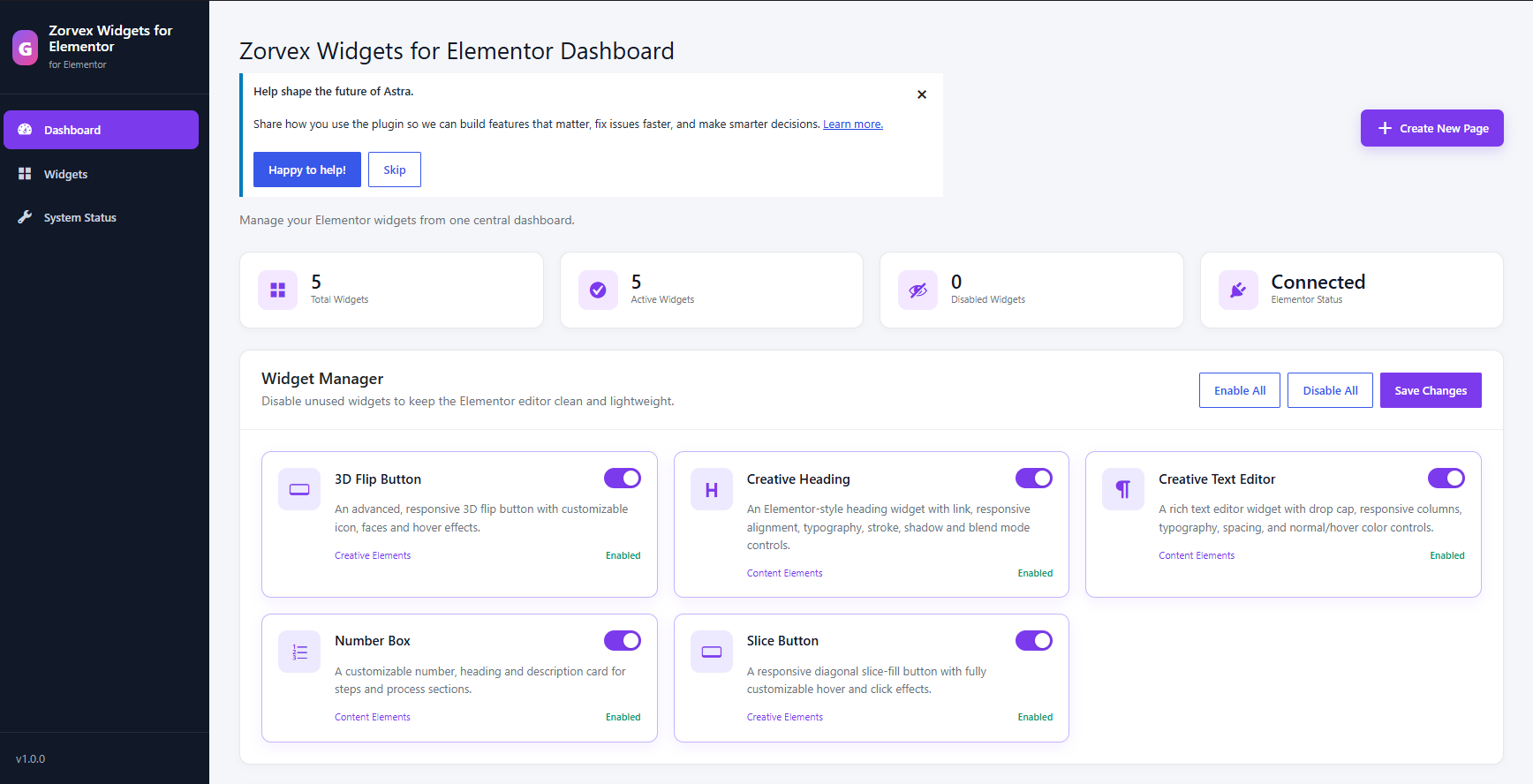
Zorvex Widgets for Elementor extends Elementor with a modular collection of widgets and a centralized dashboard where administrators can enable or disable individual widgets.
Included widgets:
- 3D Flip Button
- Slice Button
- Creative Heading
- Creative Text Editor
- Number Box
- Menu Icon
The plugin registers widget assets only when Elementor requests them and does not include tracking, advertising, or remote service calls.
Скріншоти
Встановлення
- Install and activate Elementor.
- Upload the
zorvex-widgets-for-elementorfolder to/wp-content/plugins/, or install the plugin ZIP from Plugins > Add New > Upload Plugin. - Activate Zorvex Widgets for Elementor.
- Open Zorvex Widgets for Elementor in the WordPress admin menu to enable or disable widgets.
- Edit a page with Elementor and locate the Zorvex Widgets for Elementor widget category.
Часті питання
-
Does this plugin require Elementor?
-
Yes. Elementor must be installed and activated to use the widgets.
-
Can individual widgets be disabled?
-
Yes. Open the Zorvex Widgets for Elementor dashboard and use the Widget Manager.
-
Does the plugin send data to external services?
-
No. The plugin contains no analytics, tracking, advertising, or remote API calls.
Відгуки
Для цього плагіна немає відгуків.
Учасники та розробники
“Zorvex Widgets for Elementor” — проект з відкритим вихідним кодом. В розвиток плагіну внесли свій вклад наступні учасники:
Учасники
Перекладіть “Zorvex Widgets for Elementor” на вашу мову.
Цікавитесь розробкою?
Перегляньте код, перегляньте сховище SVN або підпишіться на журнал розробки за допомогою RSS.
Журнал змін
1.0.0
- Added Creative Heading and Creative Text Editor widgets.
- Added responsive styling and hover controls.
- Improved paragraph spacing behavior.
- Standardized plugin structure, naming, security, internationalization, and WordPress.org metadata.