

Опис
VintageJS allows you to apply a custom retro, vintage look to WordPress post images.
This jQuery-Plugin was tested and worked fine in the following browsers:
Mozilla FireFox 3.16.14
Google Chrome 9.0.597.107
Apple Safari 5.0.3
Opera 11.01
Internet Explorer 9
Javascript by R. Fleischmann http://vintagejs.com
Instructions
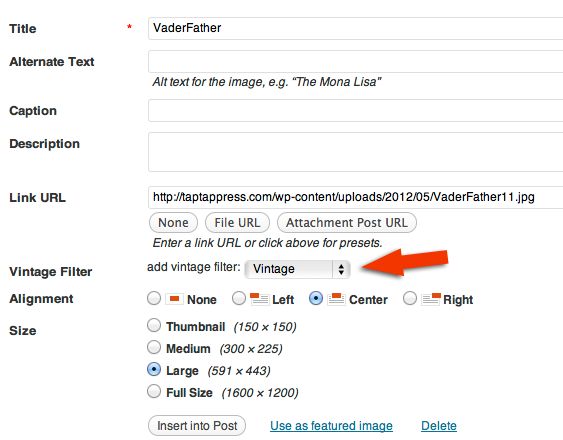
To add vintage effect to an image you just need to uploaded image then choose to add the filter before inserting image into post.
Notes
License.txt – contains the licensing details for this component.
Скріншоти

Встановлення
Automatic Installation
- From inside your WordPress administration panel, visit ‘Plugins -> Add New’
- Search for
Vintage.jsand find this plugin in the results - Click ‘Install’
- Once installed, activate via the ‘Plugins -> Installed’ page
- Choose filter on image upload.
Manual Installation
- Upload
vintagejsto the/wp-content/plugins/directory - Activate the plugin through the ‘Plugins’ menu in WordPress
- Choose filter on image upload.

Учасники та розробники
“Vintage.js” — проект з відкритим вихідним кодом. В розвиток плагіну внесли свій вклад наступні учасники:
Учасники
Перекладіть “Vintage.js” на вашу мову.
Цікавитесь розробкою?
Перегляньте код, перегляньте сховище SVN або підпишіться на журнал розробки за допомогою RSS.
Журнал змін
1.0
beta version.