

Опис
Website: digiter.org | Full version / Shop
Digiter Security Lite adds practical local protections and checks to single-site WordPress. All bundled features are free, without a license, account or trial period. Local protections need no external service; optional core verification downloads public checksums from WordPress.org after explicit consent.
Included free
- Optional login throttling: five failed password sign-ins from a direct IP connection within 15 minutes trigger a 15-minute cooldown. A successful sign-in clears that connection’s counter.
- Executable filename protection for WordPress upload and sideload handlers, including double extensions such as file.php.jpg and server configuration filenames.
- Review of HTTPS URL configuration, WordPress debug display, built-in file editor settings and login counter storage.
- Administrator-controlled SHA-256 baseline for seven fixed files in the WordPress root, with explicit comparisons showing changed, added, removed, skipped or unchanged files.
- Optional official WordPress core checksum verification, with resumable batches, difference reports and JSON download.
- Administrator account count, public registration/default-role review and cached plugin/theme update counts.
- Optional Full version shop link and manual installation instructions on the plugin screen and Plugins list.
No telemetry, remote assets, private updater, remote code installation, advertising on public pages or threat-feed connection is included.
Login protection and recovery
Login throttling is off until an administrator enables it. It uses only the server-provided REMOTE_ADDR. It ignores X-Forwarded-For and other forwarded headers. Shared networks and reverse proxies can share a counter; enable it only when your server supplies the correct direct visitor address. An invalid or missing address does not trigger throttling. A database failure also fails open rather than blocking every visitor; confirm that Login storage is available.
The throttle covers password sign-ins that use WordPress’s authenticate filter. Existing sessions, application passwords, alternative authentication that bypasses this filter, direct server access and distributed attacks using many addresses are outside its scope. It does not rate-limit every HTTP request. A request already being processed when a cooldown is set can complete. Cooldowns do not extend when a blocked sign-in is retried. An administrator can reset cooldowns from the plugin screen.
If locked out, wait 15 minutes or rename the digiter-security-lite directory under wp-content/plugins using your hosting file manager. Restore the folder name and reactivate after regaining access. Test login protection on staging before enabling it on a shared or proxied production site.
Upload protection
The filename guard is on after first activation. It supplements WordPress’s own checks and preserves existing upload errors. It blocks executable extensions including PHP, PHTML, PHAR, CGI, ASP, scripts and executable binaries, including these extensions within a double-extension filename. It also blocks .htaccess, .htpasswd, .user.ini and web.config. It is not a content scanner, quarantine service or server firewall. SFTP, direct filesystem writes, existing files and upload handlers that bypass WordPress filters are not covered. This guard does not grant permission to upload file types otherwise disallowed by WordPress.
Official core verification
Start a new core verification after checking the per-scan consent box, then select Continue verification. Expected files in wp-admin, wp-includes and the WordPress release root are compared with official MD5 release checksums in batches of up to 100 files. The page shows matching, changed, missing and unverified files. JavaScript continues batches while the page stays open; without JavaScript, each Continue click processes one batch. Resume within two hours or start again. A WordPress version change requires a new scan. The last scan replaces the previous one; download its JSON report to retain it.
Only expected core files are checked. Plugins, themes, uploads, custom wp-config.php and unexpected extra files are outside this check. Symlinks, unreadable files and files larger than 32 MB are reported as not checked. No file is changed, deleted or repaired. Matching official files does not prove that the entire site is malware-free. The separate trusted SHA-256 baseline below covers selected local configuration files.
External service: WordPress.org core checksums
Only when an administrator consents and starts a scan, Lite makes one HTTPS request to WordPress.org core checksums with the installed WordPress version and package locale. It sends a DigiterSecurityLite/version user-agent string. WordPress.org also receives the server IP. File contents, local hashes, site URL, account details and scan results are not sent. There is no background scanning, telemetry or fallback to insecure HTTP. If checksums are unavailable, the scan does not start. WordPress.org privacy policy and terms.
Integrity baseline
The fixed root paths are index.php, wp-load.php, wp-settings.php, wp-blog-header.php, wp-config.php, .htaccess and .user.ini. A baseline must be recorded deliberately after verifying these files against trusted originals. It is not automatically refreshed when files change. An unchanged file is not necessarily safe: a baseline made on a compromised site will record the compromised files.
The check reads file hashes only. It does not modify, restore, quarantine or display file contents. Files outside the WordPress root (including wp-config.php in a parent directory), symlinks, unreadable files and files larger than 8 MB are excluded. This resource safeguard is not a paid restriction. Comparisons run only when an administrator clicks Compare files now; the last result is timestamped. WordPress updates may legitimately change the baseline files. Review changes before recording a new trusted baseline.
Optional Full version
Use Buy Full version in the Plugins list or Security Lite screen to open Digiter Shop directly from WordPress. Select Digiter Security Ultimate and review its current features, price and renewal terms. Complete checkout on digiter.org and follow the order email or Customer Account instructions to download the Full ZIP and license. Back up your site and test on staging. Deactivate Lite, install the Full ZIP through Plugins > Add New > Upload Plugin, activate Full and enter the license in its License screen. Lite settings and baselines are independent and are not imported into Full.
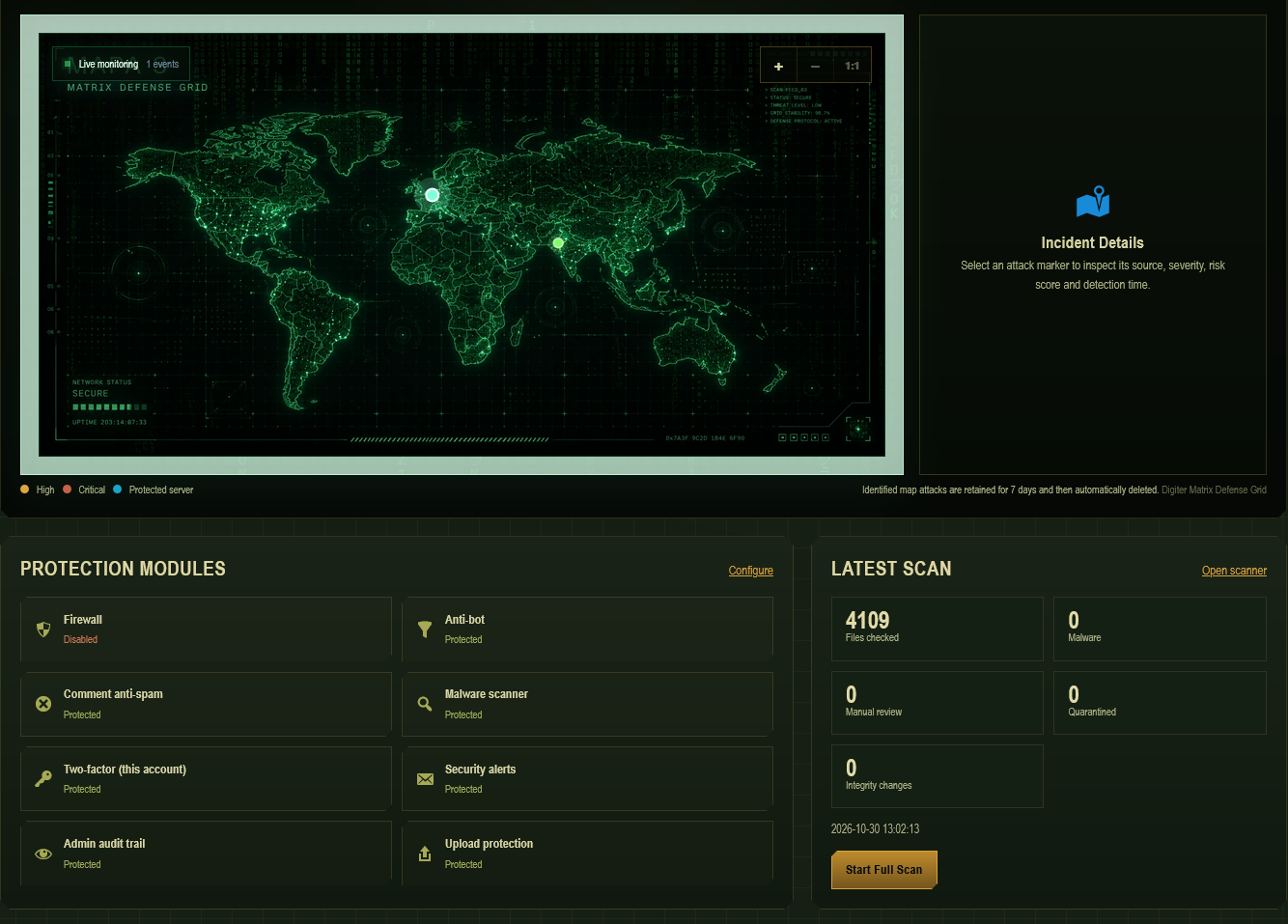
The separate Full product provides its own advanced security modules. Full product documentation describes current capabilities and purchase requirements. Those modules are not bundled or locked inside Lite. The commercial screenshot is a clearly identified reference, not a representation of Lite’s included features. Following a shop link is optional and opens the website in your browser. Lite never downloads or installs commercial code.
Privacy and retention
Login protection and file comparisons run locally. The optional checksum download is described above. The plugin’s dgsclt_attempts database table stores an HMAC of the direct IP address, failure count and timestamps. It stores no raw IP addresses, usernames, passwords, emails or request bodies. Pseudonymous connection identifiers can still be personal data. Records expire after 24 hours and are deleted when the hourly WordPress cron task executes. Successful sign-in clears the connection’s record. Administrators can clear all records with Reset login cooldowns. Disabling login protection or deactivating the plugin also clears them.
Settings, baseline hashes and the last comparison are stored in dgsclt_settings, dgsclt_baseline and dgsclt_comparison. Deactivation preserves these options. The last core scan (release version, locale, times, counters and relative file differences) is stored in dgsclt_core_scan, with official checksums retained only while a scan is in progress. dgsclt_scan_lock serializes scan operations. Uninstall removes all five options, the plugin table and its scheduled cleanup. No data is sent to Digiter. The optional shop and documentation sites have their own privacy policies.
Compatibility and source
Single-site WordPress 6.6 or later, PHP 8.2 or later, MySQL/MariaDB. Multisite and SQLite are unsupported. The plugin does not edit wp-config.php, .htaccess or other server configuration. Configuration observations are not a certificate test or a guarantee against compromise. Use backups, maintained software and suitable server security alongside these checks.
All readable PHP, JavaScript and CSS source is included; no build step or third-party library is required. Original Digiter code and graphics are GPL-2.0-or-later. Screenshot 2 is the unmodified Full-edition screenshot provided by the owner.
Скріншоти

Встановлення
- Install the ZIP through Plugins > Add New > Upload Plugin, then activate it.
- Open Security Lite. The upload filename guard is enabled; login throttling starts disabled.
- Review your hosting and proxy configuration before enabling login throttling.
- Verify the seven root files against trusted originals, record a baseline and compare after relevant changes.
Часті питання
-
Is a license or Full purchase required?
-
No. Every feature bundled in Lite works free without a license or account.
-
Is this a malware scanner or web application firewall?
-
No. Lite supplies focused login and upload filename protections, configuration observations and a local integrity baseline. It does not inspect all requests or scan the entire website for malware.
-
Can I use this behind a reverse proxy?
-
Only enable login throttling if REMOTE_ADDR represents the actual visitor after a trusted server-level configuration. Otherwise leave login throttling off to avoid sharing cooldowns across visitors. Other Lite checks remain available.
-
What does a baseline match prove?
-
Only that a file’s bytes match the trusted baseline you recorded. It does not prove the file is malware-free. A missing, skipped or unrecorded file is never reported as a matching file.
-
Does Lite install Full automatically?
-
No. Purchase through the optional shop link, then deliberately install the Full ZIP using the normal WordPress upload workflow. Deactivate Lite first.
Відгуки
Для цього плагіна немає відгуків.
Учасники та розробники
“Digiter Security Lite” — проект з відкритим вихідним кодом. В розвиток плагіну внесли свій вклад наступні учасники:
Учасники
Перекладіть “Digiter Security Lite” на вашу мову.
Цікавитесь розробкою?
Перегляньте код, перегляньте сховище SVN або підпишіться на журнал розробки за допомогою RSS.
Журнал змін
1.1.0
- Add consent-based official WordPress core checksum verification with resumable local batches.
- Show matching, changed, missing and unverified files and export JSON reports.
- Add administrator, registration and cached update checks.
- Preserve existing settings and trusted file baselines on upgrade.
1.0.0
- Initial standalone free release with optional login throttling, executable upload filename protection, configuration checks, local integrity comparisons and Full purchase guidance.