

Опис
ClientPin turns “can you move that logo?” emails into pinned, trackable, approvable feedback — directly on the live WordPress site.
Built for agencies and freelancers: send your client a secure review link (no account needed), they click anywhere on the page to leave a comment, and when they’re happy they press Approve — creating a permanent approval record with name, timestamp, and IP. No more “but I never approved this.”
Your data never leaves your server. No SaaS subscription, no per-seat fees, no proxy rendering that breaks your site.
Why ClientPin
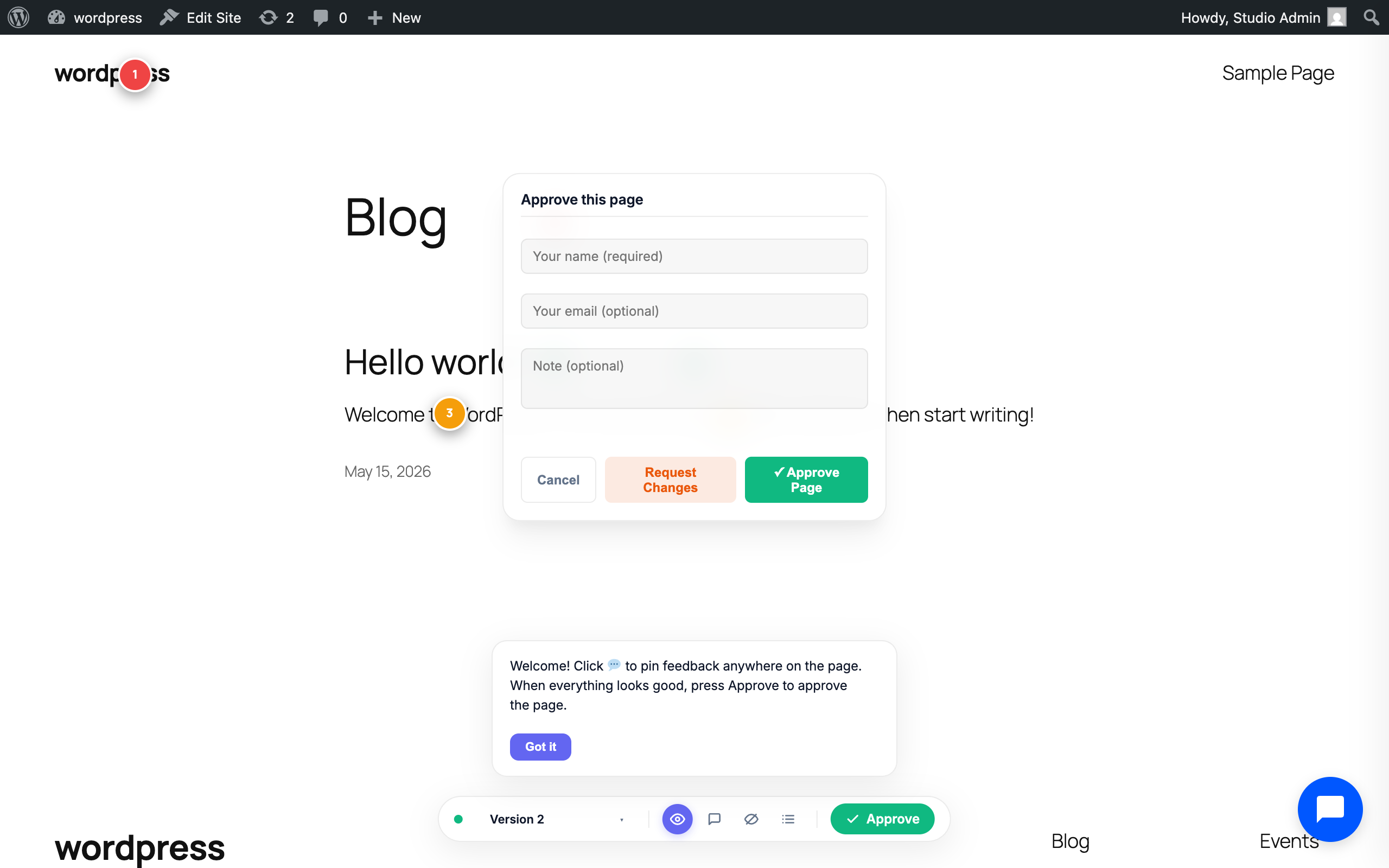
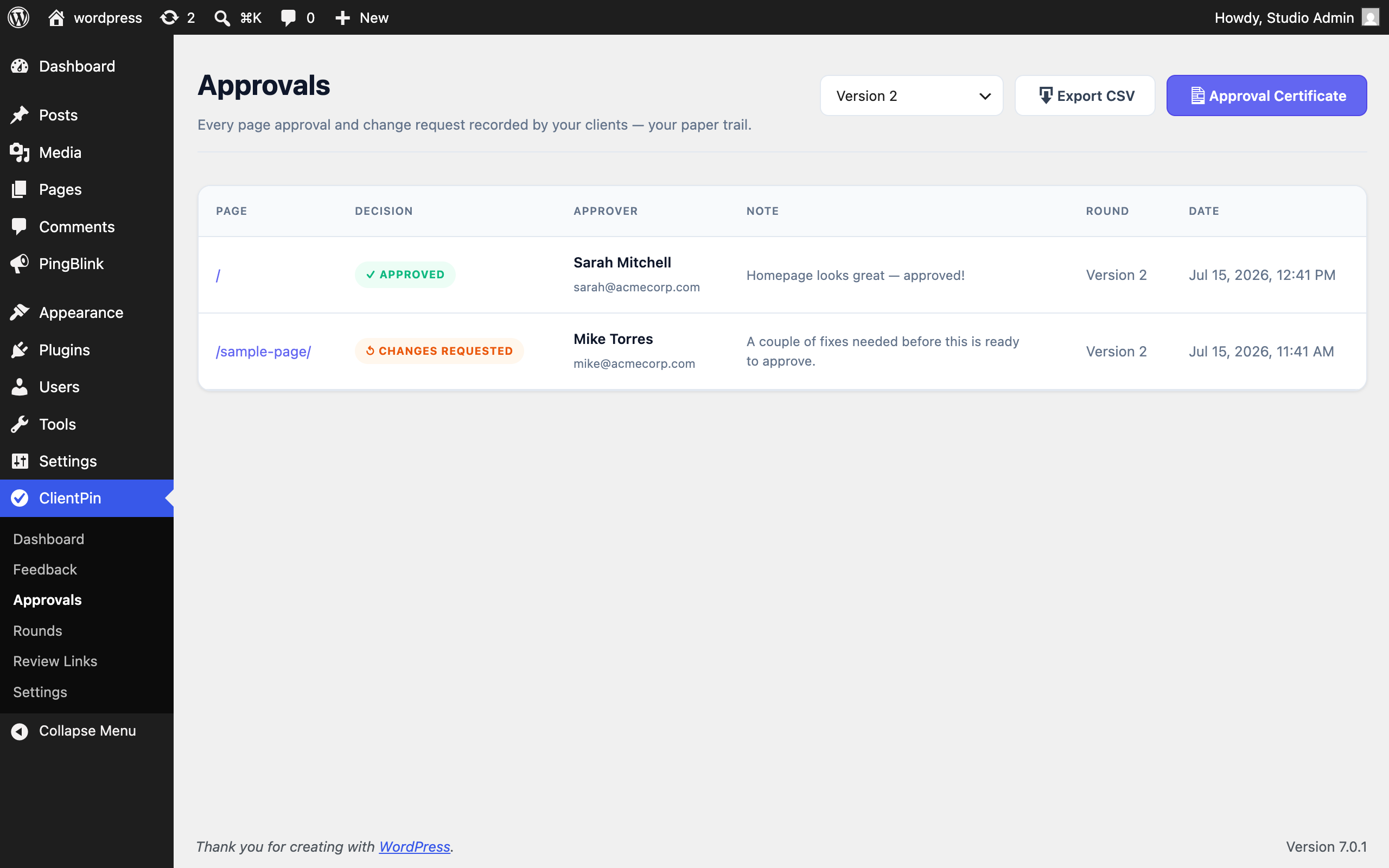
- Page approval, recorded. Clients approve pages (or request changes) with one click. Every decision is logged with approver identity, note, timestamp, and IP — and you can print a branded Approval Certificate per feedback round.
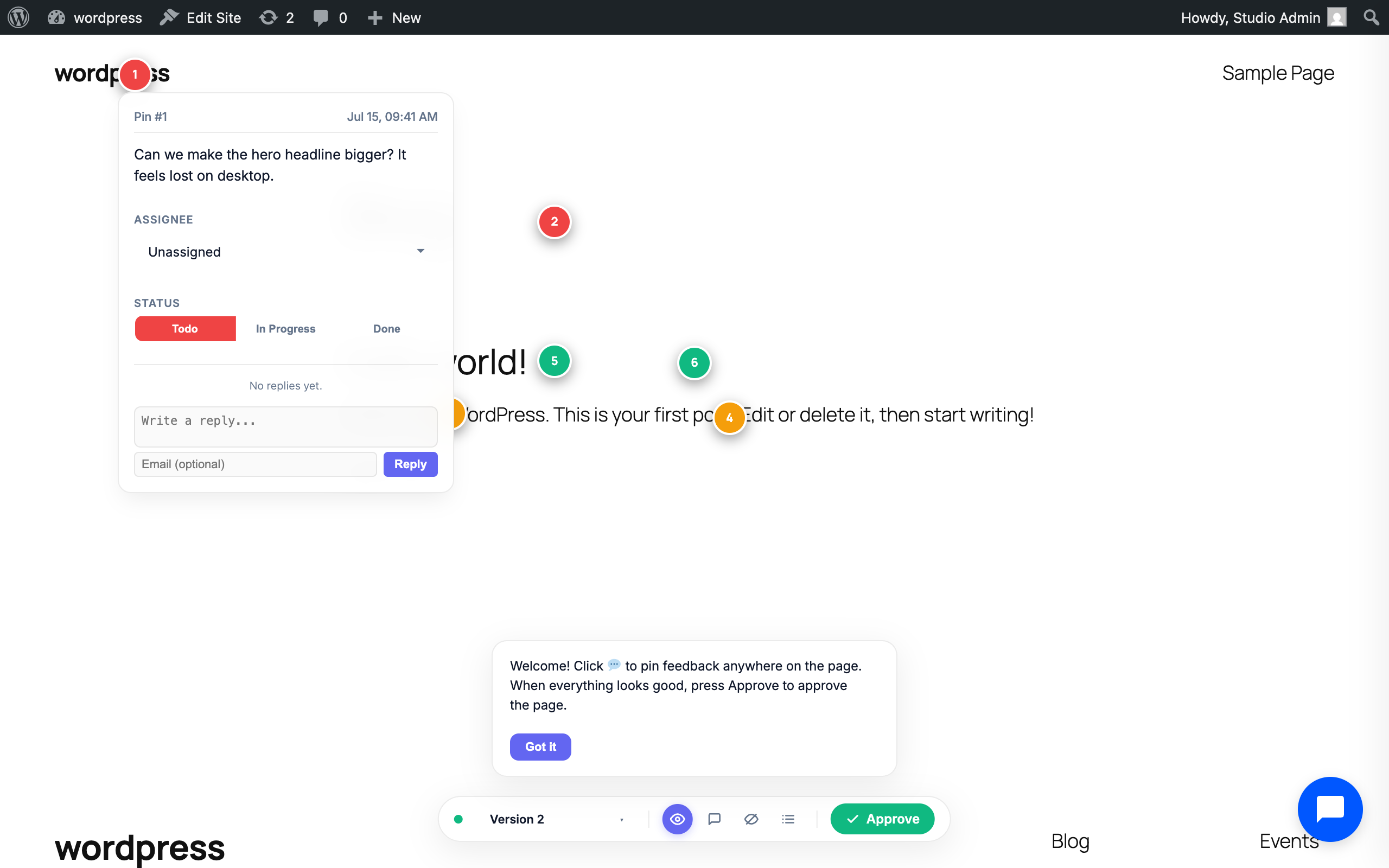
- Figma-style visual comments. Clients click any element to drop a numbered pin, write feedback, and attach inspiration images. Pins are anchored to DOM elements and reposition responsively.
- Automatic viewport screenshots. Every comment captures what the client actually saw, stored in your Media Library.
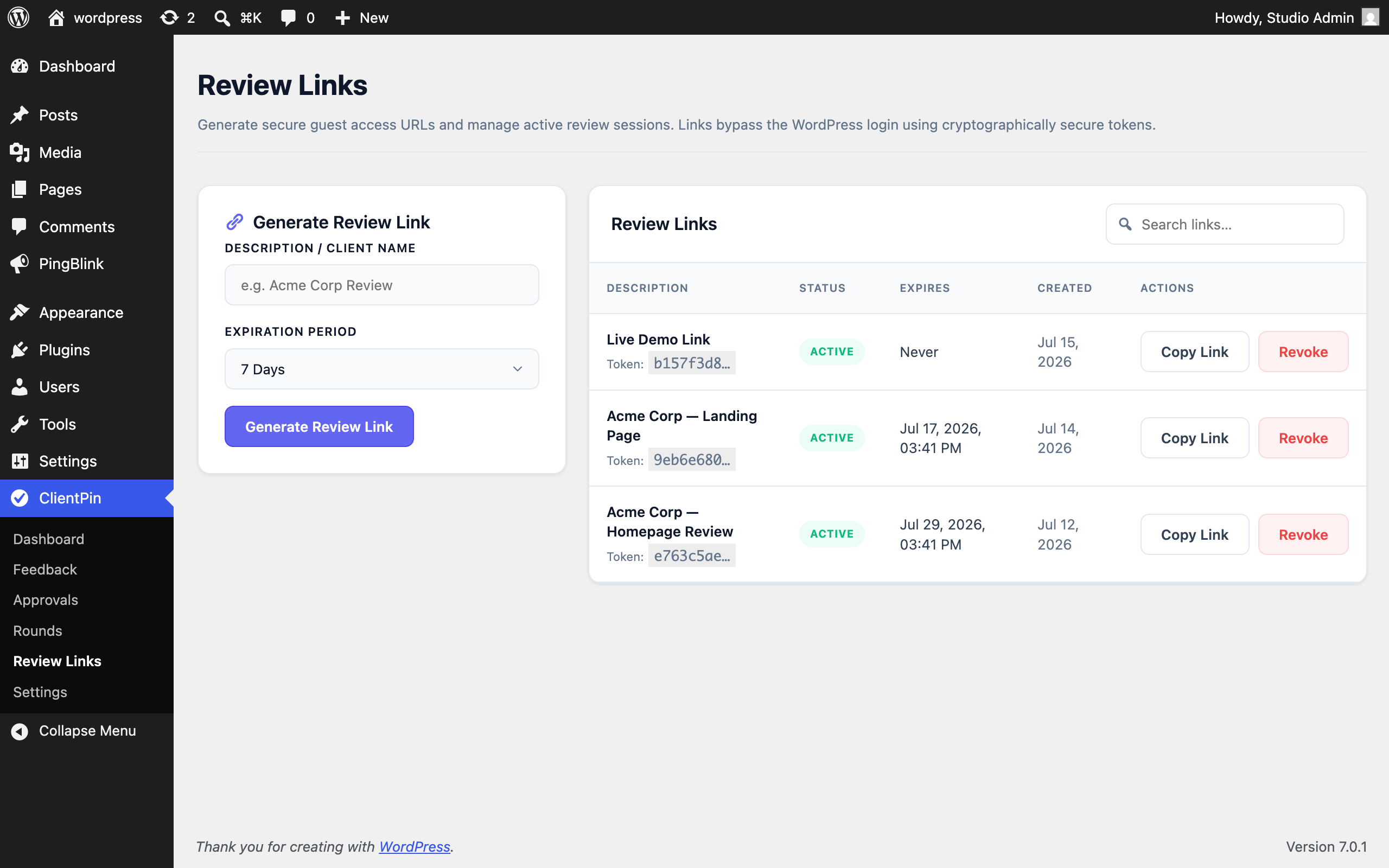
- No client accounts. Secure, expiring, revocable review links bypass the WordPress login.
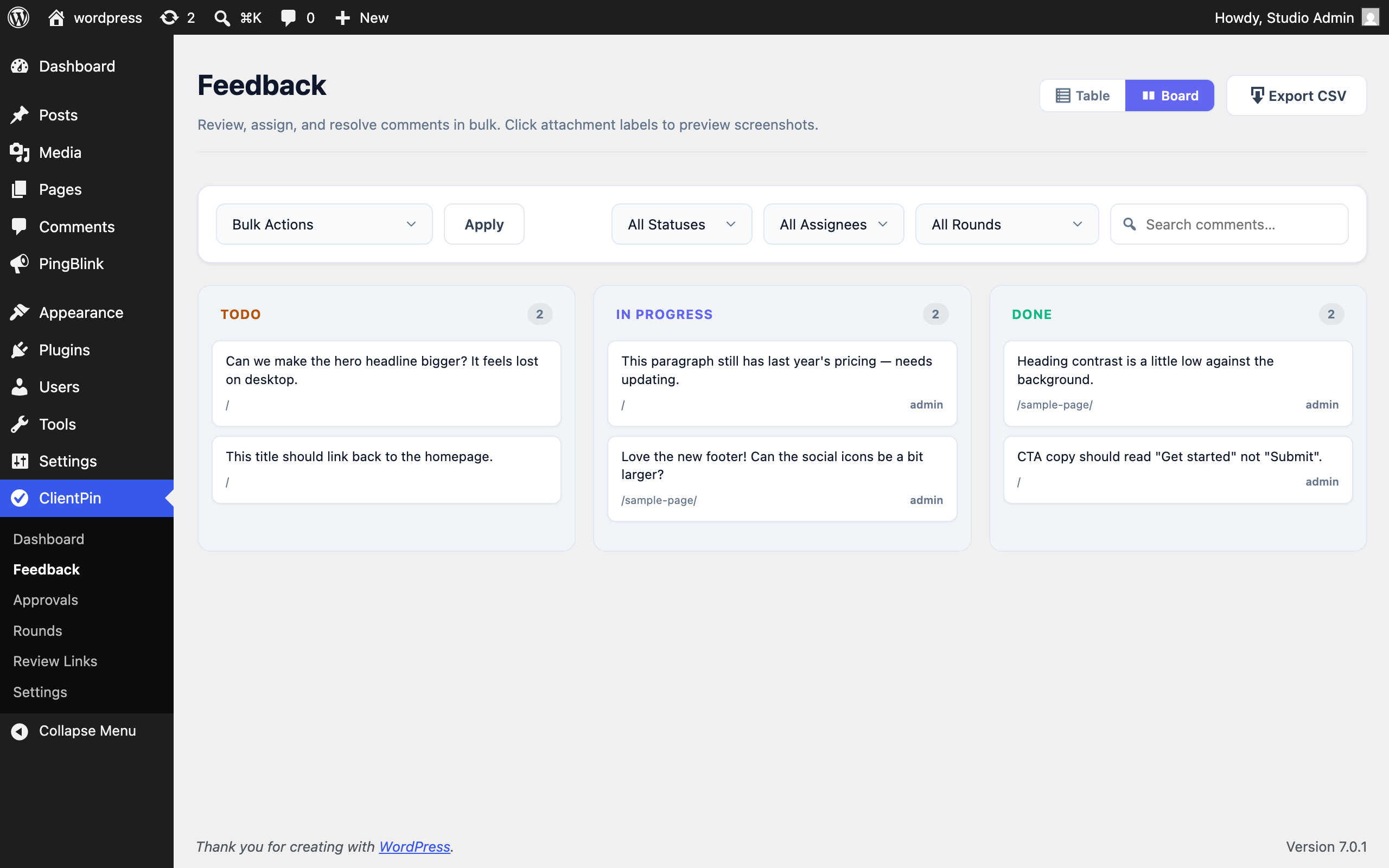
- Team workflow. Assign comments to teammates, track Todo / In Progress / Done, reply in threads, and work in versioned feedback rounds.
- Email notifications. Assignment, status, reply, and approval alerts via wp_mail() — fully toggleable, with extra recipient support.
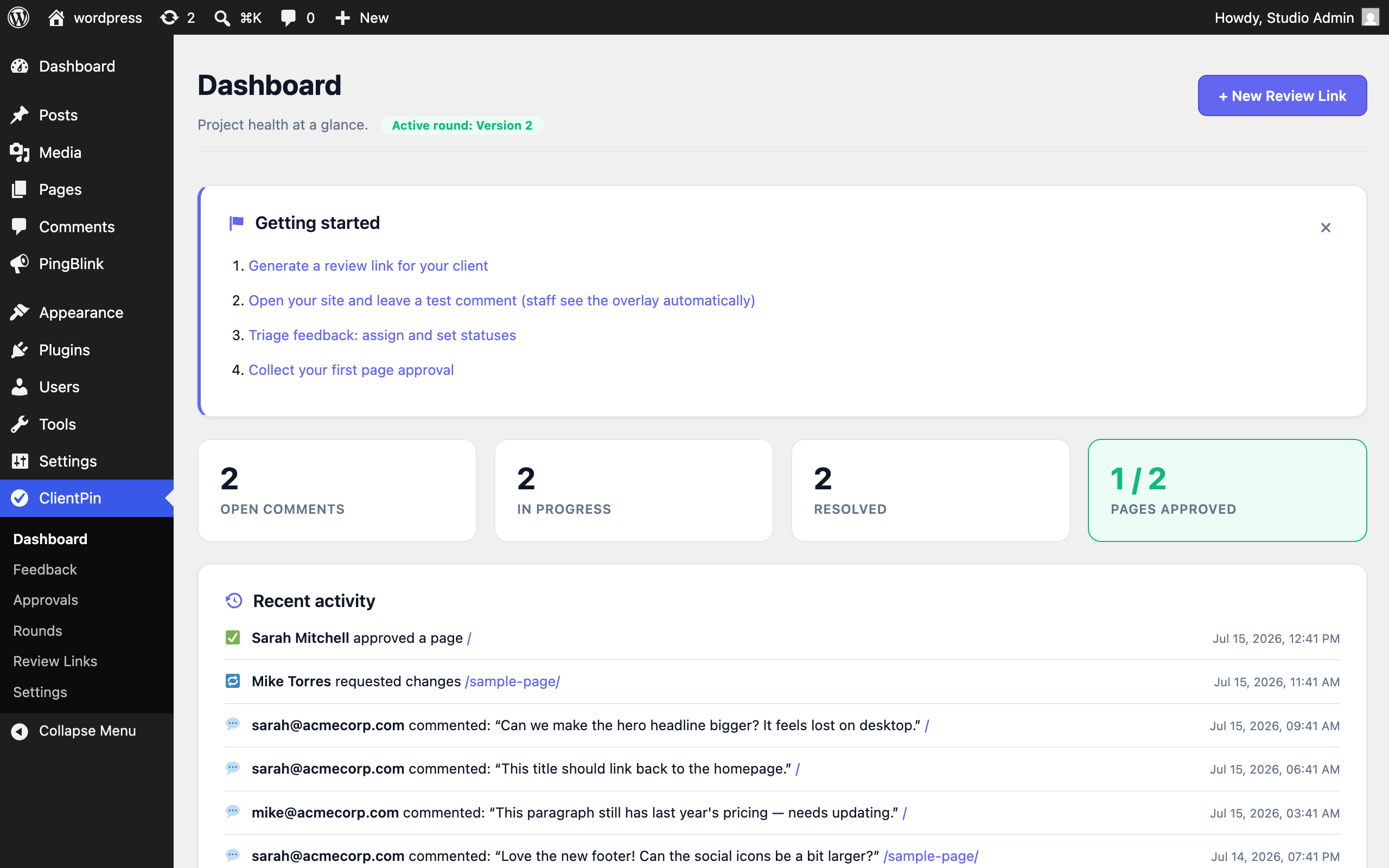
- Admin dashboard. Project health tiles, activity feed, feedback manager with filters and bulk actions, approval log, and review-link manager.
Perfect for
- Agencies collecting feedback on staging sites
- Freelancers who need documented client approval before invoicing
- Teams tired of feedback scattered across email, Slack, and calls
Third-Party Libraries
This plugin bundles html2canvas v1.4.1 (MIT license) to capture the viewport screenshot attached to each comment. The screenshot is rendered entirely in the visitor’s browser; no page content is sent anywhere except to your own WordPress site. Both the minified build (assets/js/vendor/html2canvas.min.js) and the unminified source (assets/js/vendor/html2canvas.js) are included.
External Services
This plugin does not contact any external service. It sends no data anywhere: no licensing checks, no update pings, no analytics, no usage tracking. All feedback, screenshots, and approval records are created and stored on your own server.
The one exception is entirely under your control and off by default: if you enter a Slack Incoming Webhook URL or a generic webhook URL (Zapier, Make, or your own endpoint) in ClientPin Settings, feedback events are sent to the endpoint you chose. Nothing is transmitted unless you enter a URL yourself. What is sent: the event type, comment or approval text, the reporter/approver name, and the page URL. Because you choose the destination, refer to the terms of whichever service you point the webhook at — for example Slack’s Privacy Policy.
Privacy
ClientPin stores the following data in custom database tables on your own server:
- Feedback comments: the comment text, the page URL, the position of the pin, an optional reporter email address, and screenshots the reviewer captured or uploaded (stored in your Media Library).
- Approvals: the approver’s name, an optional email address and note, the page URL, a UTC timestamp, and — as the audit trail that gives an approval its legal weight — the reviewer’s IP address and browser user agent.
- Review links: the access token, an optional description, and the expiry date.
Because approval records deliberately capture IP addresses, you should tell your clients that their approval is being logged. All of this data is deleted when you uninstall the plugin, unless you enable “Keep data on uninstall” in ClientPin Settings.
Скріншоти
Встановлення
- Upload the
clientpinfolder to/wp-content/plugins/, or install via Plugins Add New. - Activate the plugin through the ‘Plugins’ menu.
- Open ClientPin Review Links, generate a link, and send it to your client.
- Your client comments and approves pages directly on the site — you manage everything from ClientPin Dashboard.
Часті питання
-
Do clients need a WordPress account?
-
No. Review links use cryptographically secure tokens that bypass the login screen. Links can expire automatically and can be revoked at any time.
-
What exactly is recorded when a client approves a page?
-
The approver’s name, optional email, optional note, the page URL, a UTC timestamp, IP address, and browser user agent. You can print an Approval Certificate summarizing all approvals in a round.
-
Can clients change or delete my team’s task assignments?
-
No. Guests with review links can comment, reply, set comment status, and approve pages. Assigning tasks, managing rounds, and viewing your team’s user list require a logged-in staff account.
-
Where are screenshots stored?
-
Uploaded screenshots are validated, re-checked as real images, and stored in your WordPress uploads folder via the Media Library.
-
What happens to my data if I uninstall?
-
By default all plugin data is removed. Enable “Keep data on uninstall” in ClientPin Settings to preserve feedback and approval records.
-
Do the emails work with SMTP plugins?
-
Yes. All notifications are dispatched through wp_mail(), so any SMTP plugin applies automatically.
Відгуки
Для цього плагіна немає відгуків.
Учасники та розробники
“ClientPin – Pin Client Feedback & Get Page Approval” — проект з відкритим вихідним кодом. В розвиток плагіну внесли свій вклад наступні учасники:
Учасники
Перекладіть “ClientPin – Pin Client Feedback & Get Page Approval” на вашу мову.
Цікавитесь розробкою?
Перегляньте код, перегляньте сховище SVN або підпишіться на журнал розробки за допомогою RSS.
Журнал змін
1.1.0
- Approval records now store a fingerprint of the page content the client signed off on.
- Approvals log flags pages that have changed since they were approved.
- Review overlay shows “Changed since approval” when the page no longer matches the approved version.
- Approvals CSV export includes the content fingerprint and the date a change was first detected.
1.0.0
- Initial release.
- Visual pin comments on the live site with automatic viewport screenshots and inspiration image attachments.
- Secure, expiring, revocable client review links — no client accounts needed.
- Page approval: clients approve pages or request changes, recorded with identity, timestamp, and IP.
- Feedback rounds with carry-over of unresolved comments and per-round progress tracking.
- Admin dashboard with project stats, activity feed, and onboarding checklist.
- Feedback manager with server-side filtering, pagination, bulk actions, and inline assignment.
- Team assignments, status tracking, threaded replies, and background email notifications.
- Mobile-friendly review overlay with welcome tour, element highlighting, and resolved-pin toggle.
- Printable Approval Certificates, Kanban board view, and CSV export of feedback and approvals.