Опис
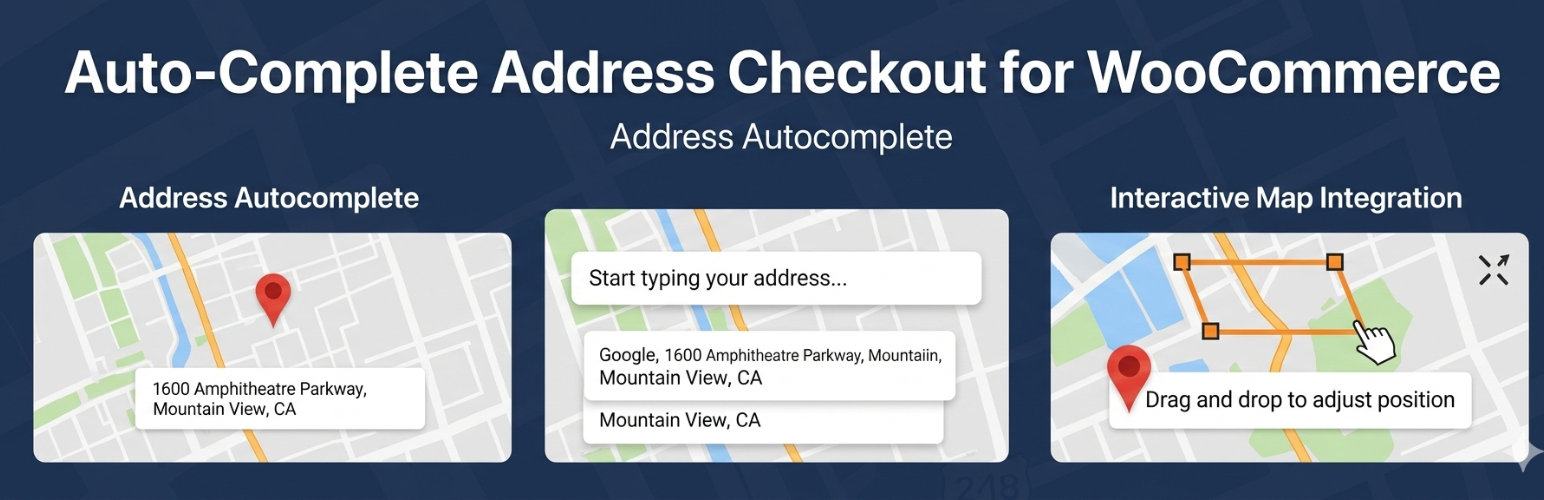
AutoComplete Address Checkout For WooCommerce integrates Google Places API into your WooCommerce checkout to deliver instant address suggestions as customers type. Billing and shipping address fields are auto-filled in one click — reducing cart abandonment, eliminating typos, and improving the overall checkout experience.
Whether you’re running a classic WooCommerce checkout or the new Gutenberg block-based checkout, this plugin works seamlessly with both.
🔗 Documentation | Pro Version | Support
✅ Free Features
- Google Address Autocomplete — Real-time address suggestions powered by Google Places API
- Auto-fill Address Fields — Instantly fills street, city, postcode, state, and country
- Address Line 2 Support — Fills apartment, suite, unit, neighborhood fields automatically
- Classic & Block Checkout Support — Works with both WooCommerce classic and Gutenberg block checkout
- Billing & Shipping Autocomplete — Separate autocomplete for both billing and shipping address forms
- Customizable Address Fields — Choose which fields to show or hide (street number, postcode, locality, state, country)
- Place Types Support — Filter suggestions by location type (addresses, cities, regions, establishments)
- Custom Placeholder Text — Set your own search field placeholder text
- One-Click Installation — Simple setup, no coding required
🔒 Pro Features
- Country-Specific Address Filtering — Restrict autocomplete suggestions to specific countries (e.g. IN, US, GB, AU)
- Up to 15 Country Restrictions — Limit results to your target markets
- Priority Support — Get help directly from the development team
Why Use AutoComplete Address Checkout For WooCommerce?
Slow and error-prone address entry is one of the top reasons customers abandon WooCommerce checkout. This plugin solves that by:
- Reducing checkout time — Customers find their address in seconds
- Eliminating typos — Google-verified addresses mean fewer failed deliveries
- Improving mobile UX — Autocomplete is especially powerful on mobile keyboards
- Supporting global stores — Works with addresses worldwide
How It Works
- Install and activate the plugin
- Enter your Google Maps API key in the settings
- The autocomplete search field automatically appears above the address fields at checkout
- Customers start typing their address and select from Google’s suggestions
- All address fields (street, city, postcode, state, country) are filled instantly
External Services
This plugin connects to the Google Maps JavaScript API to provide address autocomplete functionality.
- What data is sent: Partial address text typed by the customer is sent to Google servers to retrieve autocomplete suggestions. No personal or payment data is transmitted.
- When data is sent: Only when a customer begins typing in the address search field at checkout.
- Google Terms of Service: https://cloud.google.com/maps-platform/terms
- Google Privacy Policy: https://policies.google.com/privacy
Скріншоти
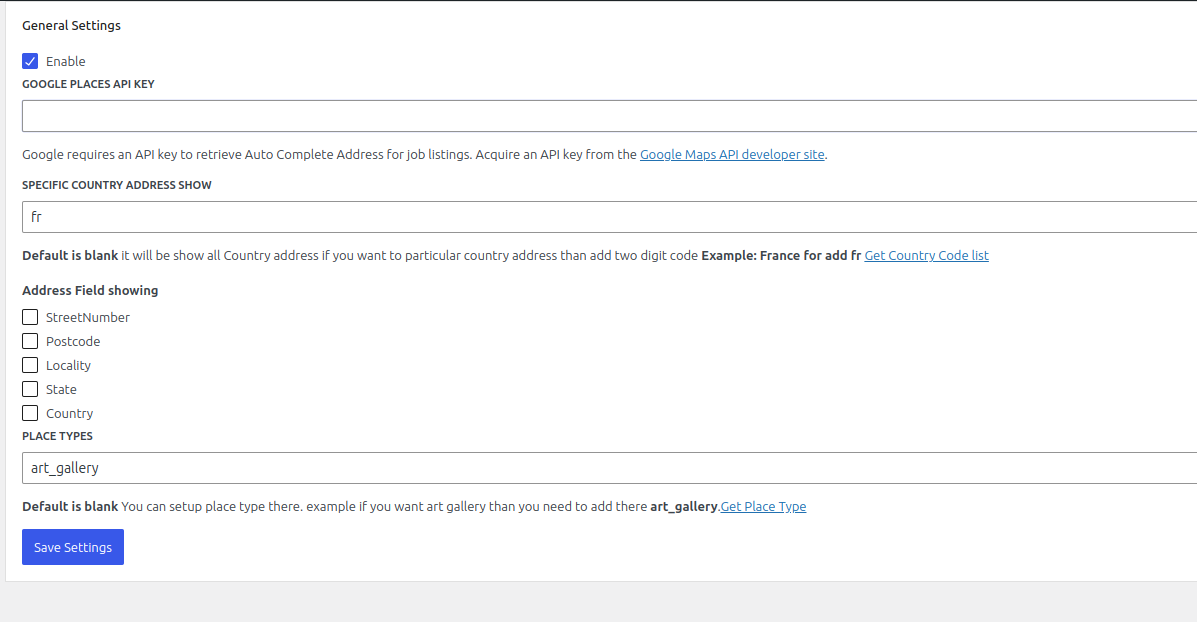
Autocomplete search field on WooCommerce classic checkout 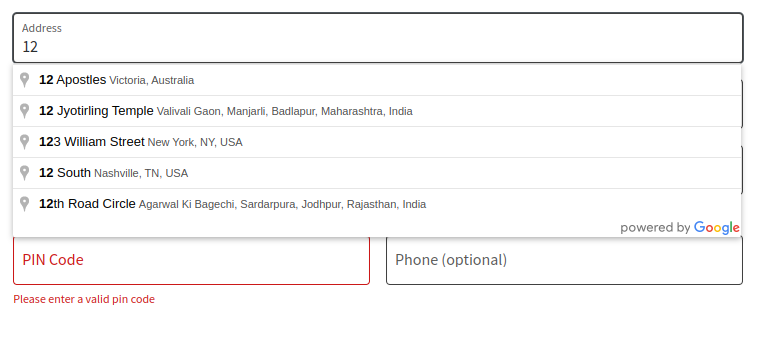
Plugin settings page with Google API key and field configuration
Встановлення
- Upload the plugin folder to
/wp-content/plugins/or install directly via the WordPress plugin directory - Activate the plugin through the Plugins menu in WordPress
- Go to WooCommerce AutoComplete Address settings
- Enter your Google Maps API Key (requires Places API enabled in Google Cloud Console)
- Configure your preferred address fields and options
- Save settings — autocomplete is now live on your checkout page
Getting a Google API Key:
- Go to Google Cloud Console
- Create a new project or select an existing one
- Enable Maps JavaScript API and Places API
- Create an API key under Credentials
- Paste the key into the plugin settings
Часті питання
-
Do I need a Google API key?
-
Yes. A valid Google Maps API key with Places API and Maps JavaScript API enabled is required. You can get one free from Google Cloud Console.
-
Does this work with the WooCommerce block checkout?
-
Yes. The plugin fully supports both the classic WooCommerce checkout and the new Gutenberg block-based checkout introduced in WooCommerce 8.x.
-
Does autocomplete work for both billing and shipping addresses?
-
Yes. Separate autocomplete widgets are added for both billing and shipping address fields automatically.
-
Can I restrict autocomplete to specific countries?
-
Country-specific address filtering is available in the Pro version. It allows you to restrict suggestions to up to 15 countries by their 2-letter ISO country code (e.g. IN, US, GB).
-
Does this plugin store any customer data?
-
No. The plugin does not store or log any customer address data. Only partial address text is sent to Google for autocomplete suggestions.
-
Is user consent required for GDPR?
-
The data transmitted is minimal and strictly necessary for checkout functionality. We recommend mentioning the use of Google Maps in your store’s privacy policy as best practice.
-
What place types are supported?
-
You can filter results by:
address(precise addresses),geocode(all geocoding results),establishment(businesses),(regions)(areas and regions), or(cities)(cities only). -
Where can I get support?
-
Free support is available via the WordPress.org support forum. Pro users get priority support at codesmade.com/contact-us.
Відгуки
Для цього плагіна немає відгуків.
Учасники та розробники
“AutoComplete Address Checkout For WooCommerce” — проект з відкритим вихідним кодом. В розвиток плагіну внесли свій вклад наступні учасники:
Учасники
Перекладіть “AutoComplete Address Checkout For WooCommerce” на вашу мову.
Цікавитесь розробкою?
Перегляньте код, перегляньте сховище SVN або підпишіться на журнал розробки за допомогою RSS.
Журнал змін
1.0
- Initial release
- Google Places address autocomplete for WooCommerce checkout
- Support for classic and block checkout
- Billing and shipping address autocomplete
- Customizable address fields
- Place types filtering