

Опис
AJO Animate is a lightweight, performance-optimized WordPress plugin that allows you to animate elements simply by adding CSS classes.
Instead of loading heavy libraries like jQuery or full animate.css files, this plugin uses the modern browser IntersectionObserver API to keep your site lightning fast. Animations trigger only once when the element enters the viewport (15% threshold), saving browser resources.
It uses a unique ajoanim- prefix for all classes, functions, and files to ensure zero conflicts with other themes or plugins.
Available Animations
- Slide:
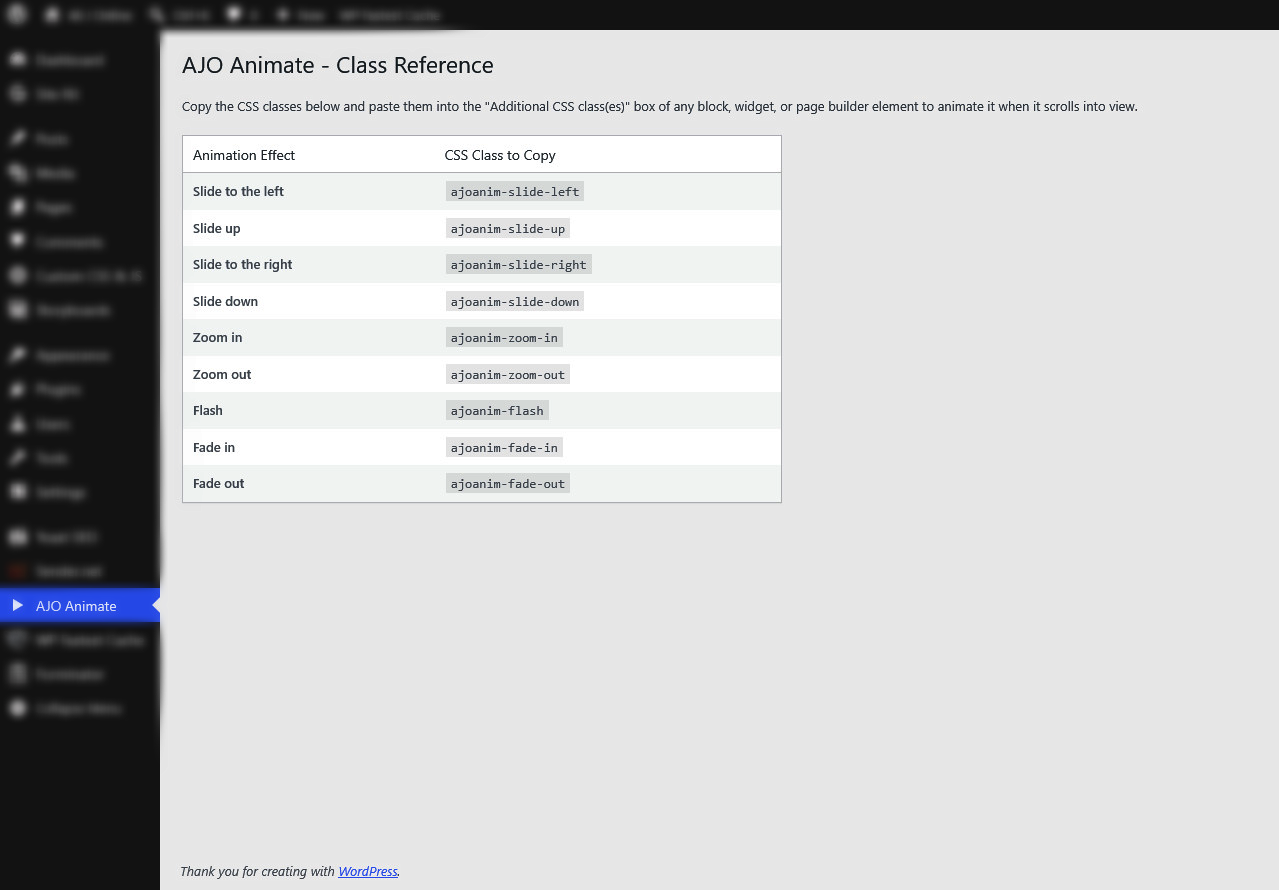
ajoanim-slide-left,ajoanim-slide-right,ajoanim-slide-up,ajoanim-slide-down - Zoom:
ajoanim-zoom-in,ajoanim-zoom-out - Fade:
ajoanim-fade-in,ajoanim-fade-out - Misc:
ajoanim-flash
How to Use
- Go to AJO Animate in your WordPress admin menu to see the full class reference.
- Edit any page or post.
- Select a block (e.g., a Group, Paragraph, Image, or Heading block).
- Under the block settings panel (typically in the Advanced section), paste the desired animation class (e.g.,
ajoanim-fade-in) into the “Additional CSS class(es)” field. - Save and preview your page!
Скріншоти
Встановлення
- Upload the
ajo-animatefolder to the/wp-content/plugins/directory. - Activate the plugin through the ‘Plugins’ menu in WordPress.
- Navigate to ‘AJO Animate’ in your admin dashboard for instructions and a list of available CSS classes.
Часті питання
-
Does this affect my website’s performance?
-
No! It is built with vanilla JavaScript and the IntersectionObserver API, which is highly optimized for modern browsers compared to older scroll-event listeners.
-
Can I change the animation duration?
-
By default, all animations take 1 second. You can override this in your theme’s Custom CSS by targeting
.ajoanim-trigger { animation-duration: 0.5s !important; }.
Відгуки
Для цього плагіна немає відгуків.
Учасники та розробники
“AJO Animate” — проект з відкритим вихідним кодом. В розвиток плагіну внесли свій вклад наступні учасники:
Учасники
Перекладіть “AJO Animate” на вашу мову.
Цікавитесь розробкою?
Перегляньте код, перегляньте сховище SVN або підпишіться на журнал розробки за допомогою RSS.
Журнал змін
1.0.0
- Initial release.