

Опис
Your radio stream, podcast or music keeps playing while visitors browse your whole site.
On a normal WordPress site, every click reloads the page – and the audio stops. Listeners have to press play again, and most of them don’t. AjaxPress replaces full page reloads with instant ajax navigation, so the player never cuts out.
Unlock Pro Features – Advanced features and priority support
Audio and video never stop. Live radio streams, podcast episodes and music keep playing seamlessly across every page. Built for radio stations, podcast networks and music platforms – the one thing a normal WordPress site cannot do.
Instant page loads. Visitors get smooth page transitions with no white screens and no waiting. Lower bounce rates, longer sessions.
How It Works
AjaxPress intercepts internal link clicks and loads the next page over ajax instead of a full browser reload. Real URLs are preserved via the History API, the page title and head metadata (canonical, OpenGraph, JSON-LD) are synced on every navigation, and back/forward buttons work exactly as expected. Search engines crawl your site normally – nothing changes for SEO.
Compatible With Your Theme, Page Builder, and Plugins
AjaxPress is built for maximum compatibility and tested against the most popular themes, page builders, and plugins. Just activate – no configuration needed.
Themes: Astra, GeneratePress, Kadence, OceanWP, Hello Elementor, Blocksy, Neve, Divi, Avada, Flatsome, Storefront, and more.
Page builders: Elementor, Bricks, Beaver Builder, Divi Builder, WPBakery, Oxygen, Breakdance, Zion Builder, Spectra, Gutenberg, and more.
Page builders are supported on the frontend – the pages they build navigate like any other. Editing is left alone: when you open a page in Divi, Bricks, Beaver Builder, Oxygen, Breakdance or the Customizer, AjaxPress recognises the builder and steps aside completely, so the builder loads exactly as it would without the plugin. Nothing to configure. If you have turned on “SPA for Admin Dashboard”, we still suggest leaving it off while you build.
Forms: Contact Form 7, WPForms, Gravity Forms, Formidable Forms, Ninja Forms, Fluent Forms, Elementor Forms, and more.
Caching: WP Rocket, LiteSpeed Cache, W3 Total Cache, WP Super Cache, SG Optimizer, Cloudflare, Bunny CDN, and more.
SEO: Yoast SEO, Rank Math, All in One SEO, SEOPress, and more.
eCommerce: Full WooCommerce compatibility including products, cart, checkout, and extensions. Also works with Easy Digital Downloads.
Modern JS frameworks: React, Vue, Solid and Alpine.js pages work without style breaking or script conflicts.
Browsers and devices: Chrome, Firefox, Safari, Edge and Opera, on desktop, tablet and mobile.
Single Page Application Features
- Ajax navigation – app-like page changes with no full reload
- Persistent audio and video player – media keeps playing across your whole site. Free for any player you can mark up (see the FAQ); the Pro settings screen lets you point at a player with any CSS selector instead
- Instant page loading – no refresh, no white screen between pages
- Smart prefetch (Pro) – pages preload on hover, before the click
- Page transitions (Pro) – fade, slide, scale and flip between pages
- Progress bar – a loading indicator so visitors know something is happening
- SEO friendly – real URLs via the History API, per-page meta tags, canonical and JSON-LD synced on every navigation, and normal crawling. Works with Yoast, Rank Math and AIOSEO, and reports correctly to Google Analytics
- Mobile optimised – works the same on desktop, tablet and mobile
Want more? Go Pro – Advanced features and priority support
Built for Radio, Podcast, Music, and Content Sites
Radio stations and live streams keep their listeners through every click. Podcast networks let an episode run while visitors browse the archive. Music sites and artist portfolios play without a pause. The same ajax navigation makes product browsing, article reading and portfolio and video catalogues feel instant on any other kind of site.
AjaxPress Pro
Take your site to the next level. The free version is powerful – AjaxPress Pro adds advanced features and priority support for sites that need more.
AjaxPress Pro is a separate plugin that works alongside this one. Already have a Pro license? Install AjaxPress Pro from the notice in your WordPress dashboard, or download it from your account at arraystory.com/account. Your license and settings carry over as they are, with nothing to enter. From AjaxPress 2.4.4 (15 October 2026), Pro features need AjaxPress Pro.
See AjaxPress Pro Plans and Pricing
Source Code
The JavaScript that runs on your site is minified for size. The unminified source it is built from ships inside the plugin, under src/, along with the Vite configs and package.json needed to rebuild it. src/frontend/ builds public/js/ajaxpress.min.js and src/admin/ builds public/js/admin.min.js, both with Vite.
From the plugin folder:
npm install
npx vite build --config ./src/frontend/vite.config.js
npx vite build --config ./src/admin/vite.config.js
Privacy & External Services
AjaxPress does not send anything anywhere on its own. Every request below happens only after you allow it or click the button that does it, and none of it touches your visitors: nothing is collected from your site’s frontend.
Diagnostics (only if you choose Allow)
AjaxPress asks once in its settings whether you want to share diagnostics. If you choose Allow:
- Your site title, home URL, admin email, active plugins and theme, WordPress, PHP and MySQL versions, server software, language, timezone and browser user agent are sent to
arraystory.com, so we can reproduce and fix issues faster. - Install and uninstall counts (your site’s address and the AjaxPress, WordPress and PHP versions), and once a day which AjaxPress features are switched on (with your license key, if you have one), are sent to
api.packedge.dev.
Choosing Deny sends nothing, and you can change your choice at any time. See the PackEdge privacy policy.
Feedback (only when you submit it)
The optional form shown when you deactivate AjaxPress, and the feedback form under Help, send your answer, comment, site address and the site details listed in the form to api.packedge.dev. Skipping the form sends nothing.
Licenses and purchases (only when you use them)
- Activating or deactivating a license key sends the key and your site’s address to
api.packedge.dev. While a key is active, AjaxPress checks it about once an hour when you open its settings. - Plans and prices load from
api.packedge.devonly when you click See plans and pricing. Buying opens PackEdge’s checkout page. - If you hold an AjaxPress Pro license, the Download AjaxPress Pro button asks
api.packedge.devfor the AjaxPress Pro package for your license, sending your license key and your site’s address, and your browser downloads it. AjaxPress never installs anything by itself.
Video tutorials (only when you open one)
Help Tutorials plays videos from youtube.com. Nothing is loaded from YouTube until you open a video. See the Google privacy policy.
Cloudflare (edge caching, optional)
If you connect a Cloudflare account on the Cache screen, AjaxPress talks to the Cloudflare API at api.cloudflare.com on your behalf to read zones and manage caching rules for your site. Nothing is sent to Cloudflare until you connect. See the Cloudflare privacy policy and terms.
If you use the one-click “Connect with Cloudflare” option, the authorization step passes through an OAuth relay we operate at ajaxpress-oauth.astory.workers.dev. The relay exists so the OAuth client secret never has to ship inside the plugin. It exchanges the authorization code for a token and hands it back to your site; the token is stored encrypted in your database. You can skip the relay entirely by pasting your own Cloudflare API token instead, which never leaves your server except to Cloudflare.
Скріншоти


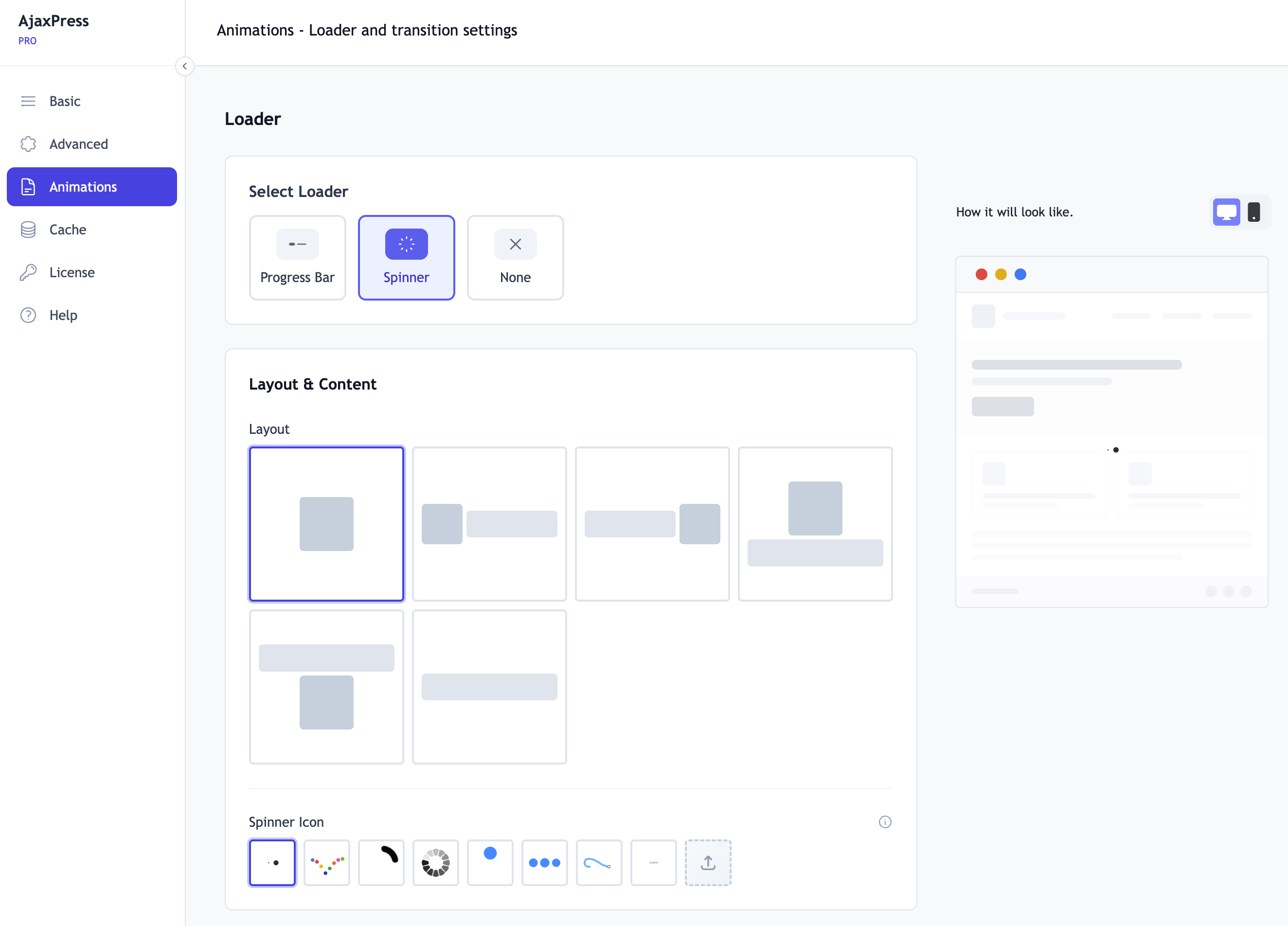
Встановлення
Get started in 3 steps:
- Go to Plugins > Add New
- Search for AjaxPress
- Click Install Now, then Activate
That’s it. Your site is now a single page application, with no configuration needed.
Optional: Visit Settings > AjaxPress for customization options, or upgrade to Pro for advanced features.
Часті питання
-
What is a single page application (SPA) in WordPress?
-
A single page application loads the site shell once and then swaps only the content when you move between pages, instead of reloading the whole browser page every time. AjaxPress turns an ordinary WordPress site into one without you rebuilding anything: it intercepts internal links, fetches the next page over ajax and replaces the content in place. URLs, the back button and search engine crawling all keep working as before.
-
How do I keep my radio player playing between pages?
-
Mark up the element that wraps your player so AjaxPress knows to carry it across navigation. Add
data-ajaxpress-persistto it, or the classajaxpress-persist, or give it an id starting withpersistent-. The player element itself is then moved to the next page as the live element, so the stream never restarts. All of this works in the free version. If a theme or another plugin renders the player and you cannot edit its markup, the Media Players field in Pro lets you target it with a CSS selector. -
Yes. Product pages, category browsing, the mini cart, ajax add-to-cart, the cart, checkout and My Account login and registration all work over ajax. Dynamic pages are excluded from edge caching automatically, so nobody is served another shopper’s cart.
-
Will it work with my theme?
-
Yes. AjaxPress is tested with Astra, GeneratePress, Kadence, Divi, Avada, OceanWP, Blocksy, Neve, Flatsome, Storefront, and many more. No configuration needed.
-
Will it work with my page builder?
-
Yes. Elementor, Bricks, Beaver Builder, Divi Builder, WPBakery, Oxygen, Breakdance, and Gutenberg are all tested and supported.
-
Will my forms work?
-
Yes. Contact Form 7, WPForms, Gravity Forms, Formidable Forms, Ninja Forms, Fluent Forms, and Elementor Forms all work out of the box.
-
Yes – that’s AjaxPress’s signature feature. Your media player continues uninterrupted while visitors browse your entire site.
AjaxPress recognises a player it should keep alive in any of these ways, all of which work in the free version. Add whichever is easiest to the element wrapping your player:
data-ajaxpress-persiston the element, for example<div id="radio" data-ajaxpress-persist>- the class
ajaxpress-persist - an id starting with
persistent-, for example<div id="persistent-radio"> data-persiston an<audio>or<video>tag
If you cannot edit the markup – a player added by your theme or another plugin – the Media Players field in the Pro settings lets you point at it with any CSS selector instead.
-
Does it work with caching plugins?
-
Yes. WP Rocket, LiteSpeed Cache, W3 Total Cache, WP Super Cache, SG Optimizer, Cloudflare, and Bunny CDN are all supported.
-
Will it break my SEO?
-
No. AjaxPress uses real URLs via the History API and syncs meta tags, canonical tags, and JSON-LD structured data on every navigation. Search engines crawl your site normally. Works with Yoast, Rank Math, and all major SEO plugins.
-
Does it work with React/Vue/Solid pages?
-
Yes. Pages built with modern JS frameworks work without style breaking or script conflicts. No configuration needed.
-
Does it work on mobile?
-
Yes. All modern browsers on all devices – desktop, tablet, and mobile – are fully supported.
Відгуки


Учасники та розробники
“AjaxPress – SPA & Ajax Navigation with Persistent Audio Player for Radio” — проект з відкритим вихідним кодом. В розвиток плагіну внесли свій вклад наступні учасники:
Учасники
Перекладіть “AjaxPress – SPA & Ajax Navigation with Persistent Audio Player for Radio” на вашу мову.
Цікавитесь розробкою?
Перегляньте код, перегляньте сховище SVN або підпишіться на журнал розробки за допомогою RSS.
Журнал змін
2.4.3
- New: AjaxPress Pro is now its own plugin. Pro license holders see a notice in their dashboard with a one-click download of AjaxPress Pro for their license. Install it before AjaxPress 2.4.4 on 15 October 2026: until then your Pro features keep working exactly as they do now, and once AjaxPress Pro is installed it takes over with your license and settings as they are, with nothing to enter
- Changed: Exclude Links, Custom CSS, Smooth scroll to top and Disable for admins are now free for everyone
- New: Developers can extend the frontend through
window.AjaxPress: filters, actions, custom loaders and page transitions, andAjaxPress.preload()to load a page in the background before the visitor clicks - Fix: Saving settings no longer blanks settings that were not part of the save
- Fix: Keep the WordPress Navigation block view module enabled so responsive menu controls can initialize on block themes such as Twenty Twenty-Five
- Changed: Nothing is sent from your site without your say-so. Install and uninstall counts go out only if you allow diagnostics, plans and prices load only when you click See plans and pricing, and Help videos load only when you open one. The readme’s privacy section now lists every request, what it sends and what triggers it
- Security: Every setting and the license details are checked and cleaned before they are saved; a value that doesn’t fit falls back to its default
2.4.2
- Fix: Opening a page in a visual builder could leave the builder blank or unresponsive. Divi, Bricks, Beaver Builder, Oxygen, Breakdance, WPBakery, Visual Composer, Zion, Thrive and Brizy all open on the ordinary front-end address of the page with a marker on the end, and AjaxPress was treating that as a page to take over. It now recognises a builder session and stays out of it entirely, on the page itself and on any link leading to one. The Customizer preview is treated the same way
- Fix: Google Analytics 4 reported “Average engagement time” as zero on every page. Analytics measure engagement against the page the visitor is looking at, and that page had never been handed keyboard focus, so no time was ever counted however long someone stayed. Engagement is measured again, for Google Analytics and for any other script that works the same way
- Fix: Cookie and consent banners could appear twice on the first page someone loads, along with anything else a script adds after the page is ready – promo popups, chat widgets, sticky bars. Only one copy is shown now
- Fix: A form could be submitted twice when the plugin behind it attaches its handler to the page rather than to the form. The entry was saved, but the plugin’s own follow-up – the confirmation message, the notification email – could be cut off part way. Forms whose plugin attaches to the form itself, which is most of them, were never affected
- New: Add data-ajaxpress-ignore-submit to a form, or to anything containing it, to keep it out of ajax submission entirely and let it submit the ordinary way
- Fix: Mini carts and other panel toggles still navigated away on 2.4.1 when the theme opens the panel from a shared click handler rather than one attached to the link itself, which is what most themes do. Tapping the cart icon opened the mini cart and then landed the visitor on the cart page anyway
- Fix: A page’s own script could stop running partway through. Where a persistent player was carried over, the copy on the incoming page was taken out before that page’s script looked for it, so the script hit a missing element and everything after it in the same block never ran, commonly other footer features like popups
2.4.1
- Fix: Media players kept on screen across navigation stopped responding – Play, Stop and open/close buttons did nothing, with no error and no sound. The player is now carried over as the live element instead of being rebuilt from its markup, so whatever script powers it keeps working
- Fix: A persistent player could be dropped mid-navigation on slower pages – the audio simply stopped. Pages that are still loading when navigation completes are no longer mistaken for pages that have no player
- Fix: Links that act as buttons now keep working – a WooCommerce or theme mini cart, offcanvas panels, mega menu and search toggles, quick view. Tapping one opened its panel and then navigated to the link’s page anyway, which on mobile dropped shoppers on the cart page. WooCommerce’s ajax “Add to cart” was affected the same way and added the product by reloading the page instead
- Changed: The plugin now ships its unminified JavaScript sources, so the code behind the minified bundles can be read and rebuilt from the download itself
- Changed: The readme now documents every external service AjaxPress can talk to, what triggers each one and what is sent: PackEdge, Cloudflare, our Cloudflare OAuth relay, and the optional deactivation feedback form
- Changed: The optional deactivation feedback form no longer sends your WordPress username. Only the reason, your comment and the site URL are sent, and only if you submit the form