

Опис
VelociPix is an image optimization plugin for WordPress that generates WebP and AVIF images while helping you identify oversized image delivery, frontend rendering inefficiencies, and Elementor image optimization opportunities.
In addition to generating WebP and AVIF images, VelociPix helps you understand how images are actually delivered on the frontend by combining modern image formats, frontend rendering analysis, and advanced Elementor image intelligence.
This allows you to identify oversized image delivery, wasted bandwidth, and optimization opportunities that traditional compression-focused plugins often miss.
Why VelociPix?
Most image optimization plugins focus primarily on generating smaller image files.
VelociPix expands on this by helping users understand how images are actually delivered on the frontend.
VelociPix focuses on:
• Frontend image delivery efficiency
• Oversized image detection
• Elementor-specific image analysis
• Frontend rendering diagnostics
• Modern image format delivery
• Actionable optimization insights
Instead of only reducing image file size, VelociPix helps you understand how images impact real-world frontend performance.
Key Features
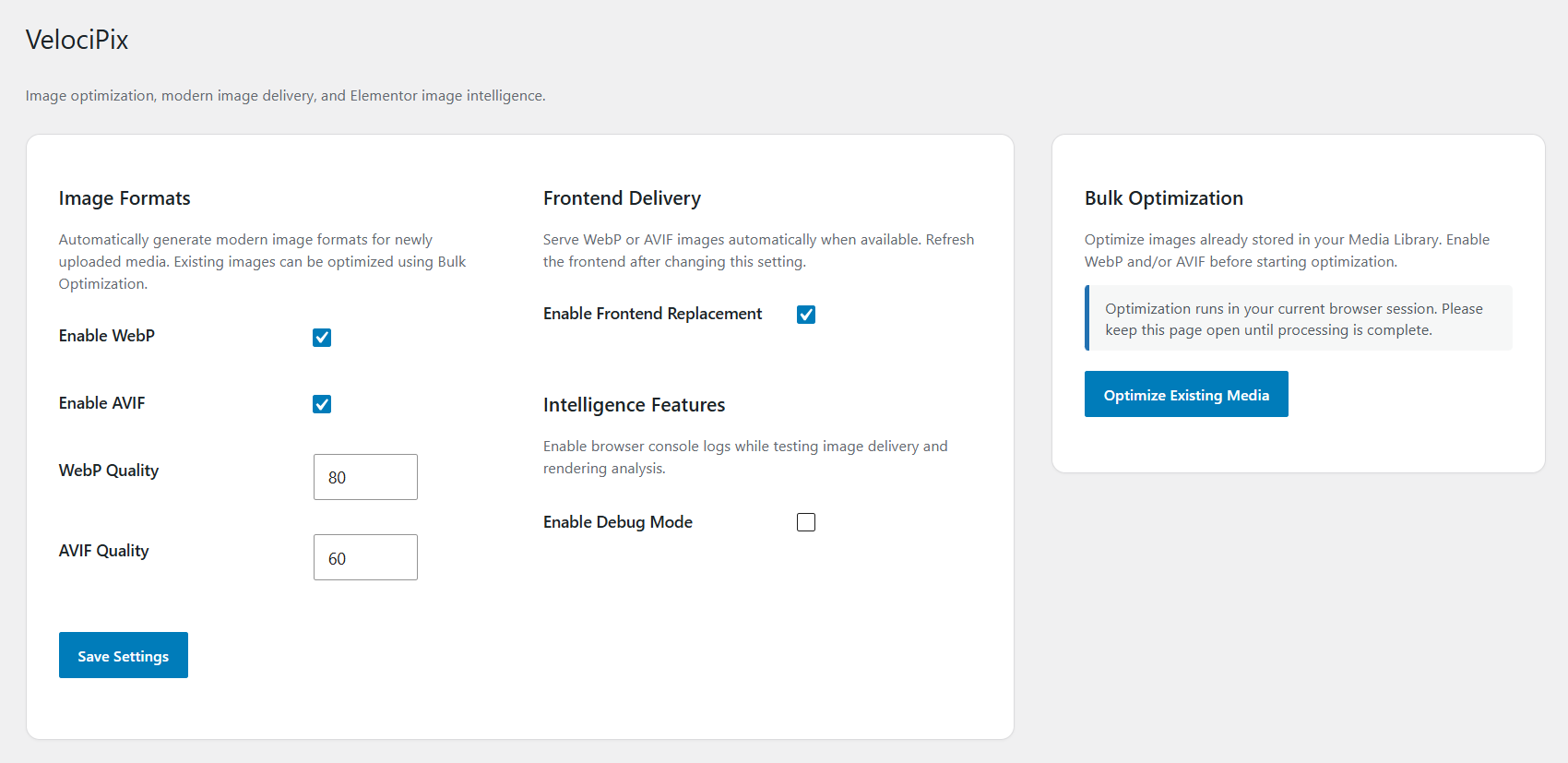
Modern Image Optimization
• Automatic WebP generation
• Automatic AVIF generation
• Adjustable WebP quality settings
• Adjustable AVIF quality settings
• Original image preservation
Frontend Image Delivery Optimization
• Automatic frontend image replacement
• Browser-compatible modern image delivery
• Frontend delivery controls
• Improved real-world image performance
Elementor Image Intelligence
Analyze Elementor pages to identify oversized image delivery issues.
Features include:
• Oversized image detection
• Elementor widget analysis
• Selected image size detection
• Actual image width comparison
• Frontend rendering analysis
• Downloaded image size analysis
• Overfetch ratio detection
• Optimization insights
• Suggested optimization recommendations
• Quick Elementor editing access
Frontend Rendering Analysis
VelociPix analyzes how images are actually delivered in the browser.
The plugin can detect cases where browsers download significantly larger images than the rendered display size.
This helps identify:
• Responsive image inefficiencies
• Oversized frontend image delivery
• Excessive image payloads
• Real-world image overfetching
Bulk Optimization
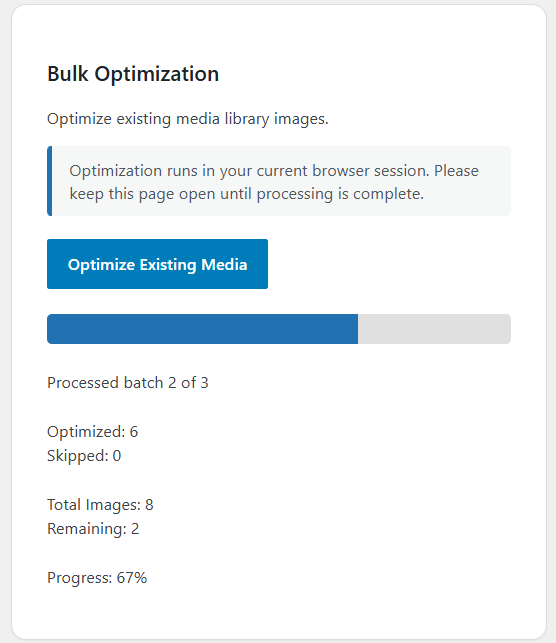
• Bulk optimize existing media library images
• Progress tracking
• Optimization processing feedback
• Existing image conversion support
Media Library Integration
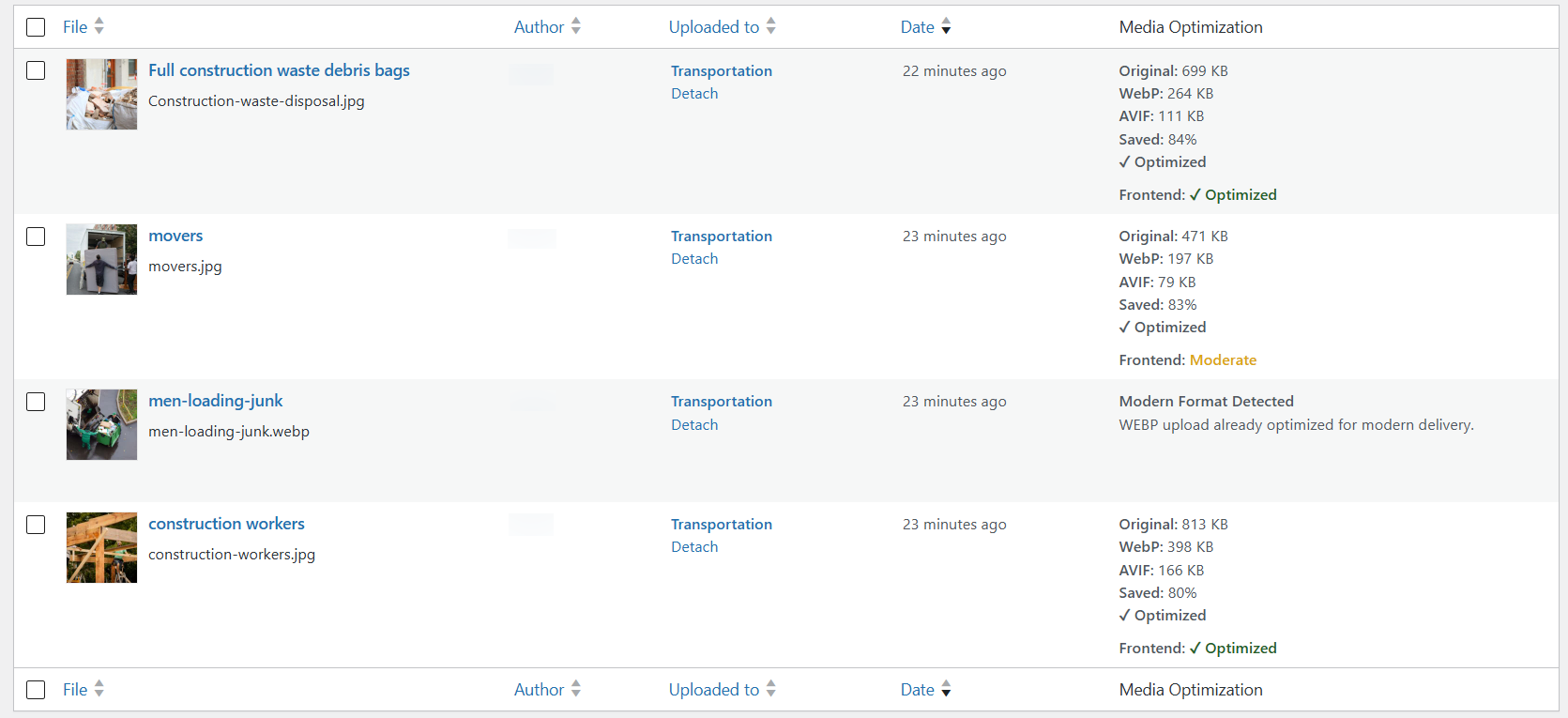
View optimization data directly inside the WordPress Media Library.
Includes:
• Optimization status
• File size visibility
• Savings percentage visibility
• WebP conversion visibility
• AVIF conversion visibility
• Frontend analysis visibility
Скріншоти


Встановлення
- Upload the plugin to the /wp-content/plugins/ directory or install through the WordPress Plugins screen.
- Activate the plugin through the Plugins screen in WordPress.
- Open VelociPix from the WordPress admin menu.
- Configure WebP, AVIF, frontend delivery, and intelligence settings.
- Run Bulk Optimization to optimize existing media.
- Review Elementor Intelligence diagnostics and recommendations.
Часті питання
-
Does this plugin support WebP?
-
Yes. VelociPix automatically generates WebP versions of supported images.
-
Does this plugin support AVIF?
-
Yes. VelociPix supports AVIF generation when supported by the server environment.
-
Does this plugin work with Elementor?
-
Yes. VelociPix includes advanced Elementor Image Intelligence and frontend rendering analysis.
-
What is Elementor Image Intelligence?
-
Elementor Image Intelligence analyzes Elementor pages to identify oversized image delivery, frontend rendering inefficiencies, and optimization opportunities.
-
What is Frontend Rendering Analysis?
-
Frontend Rendering Analysis compares the image size downloaded by the browser against the actual rendered size to identify unnecessary image downloads.
-
Will the plugin modify my original images?
-
No. Original uploads are preserved. Optimized formats are generated separately.
-
What happens when an image is deleted?
-
VelociPix automatically removes generated WebP and AVIF files associated with the deleted attachment.
-
Can I bulk optimize existing images?
-
Yes. The plugin includes bulk optimization support for existing media library images.
Відгуки
Для цього плагіна немає відгуків.
Учасники та розробники
“VelociPix” — проект з відкритим вихідним кодом. В розвиток плагіну внесли свій вклад наступні учасники:
Учасники
Перекладіть “VelociPix” на вашу мову.
Цікавитесь розробкою?
Перегляньте код, перегляньте сховище SVN або підпишіться на журнал розробки за допомогою RSS.
Журнал змін
1.1.0
- Added Frontend Analysis for Elementor images and backgrounds.
- Added improved Elementor Intelligence reporting.
- Added support for responsive background image analysis.
- Improved frontend rendering detection.
- Improved Media Library frontend status reporting.
- Improved duplicate image handling across multiple pages.
- Improved Full Size image display.
- Improved Overfetch Ratio reporting.
- Improved compatibility, stability, and overall reliability.