
Опис
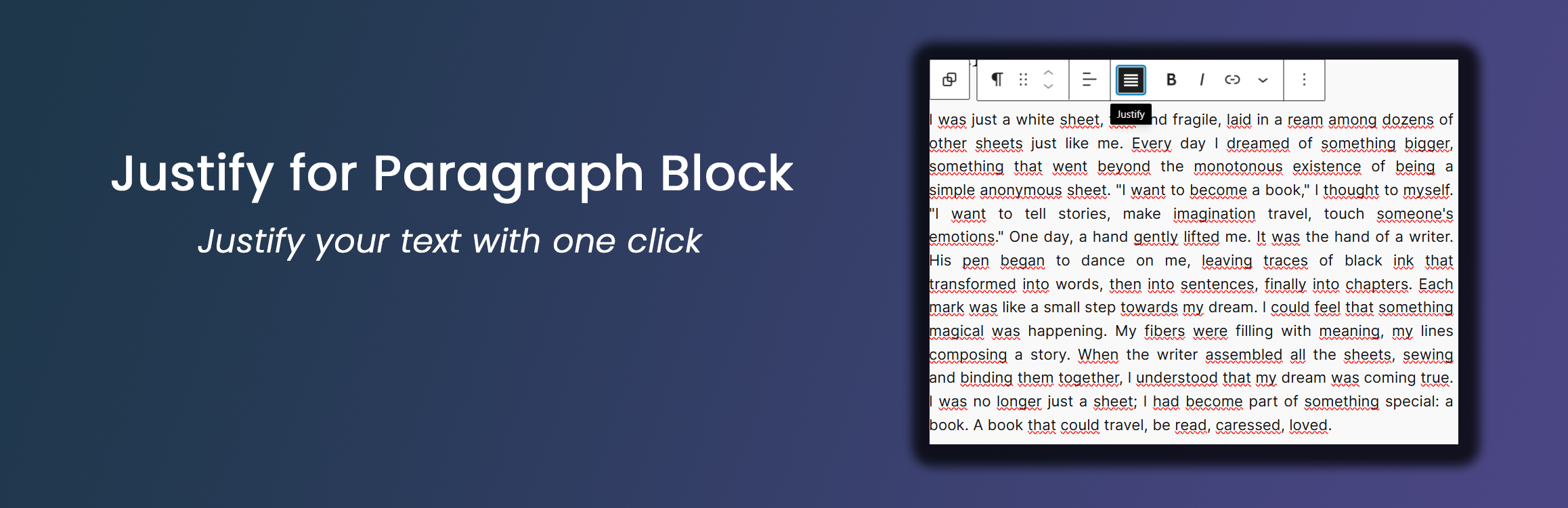
This lightweight plugin enhances the WordPress Block Editor by adding a justify text alignment option to paragraph blocks. Key features include:
- Simple one-click text justification via the paragraph block toolbar
- Per-block typographic options available in the block sidebar when a paragraph is justified:
- Automatic hyphenation (hyphens: auto)
- Word spacing presets (slightly larger / slightly smaller) and custom value
- First-line indent (editorial / book style)
- Drop cap (magazine style)
- Justify mode (inter-word / inter-character)
- Stretch last line (text-align-last: justify) — forces the last line to be full-width instead of short
Note: for line height control, use the native WordPress Paragraph block setting under Typography Line height.
* Optional global typography settings as defaults (Settings Justify Paragraph)
* Lightweight and performance-friendly
Per-Block Options
From version 1.2.0, when a paragraph block is justified, a “Justify Options” panel appears in the block sidebar (InspectorControls) with the following per-block settings:
- Automatic hyphenation — Break long words at line endings to reduce large gaps in justified text
- Word spacing — Presets: Default, Slightly larger, Slightly smaller, Custom value (with em/px/rem unit)
- First-line indent — Indent the first line of each justified paragraph (editorial style)
- Drop cap — Enlarge the first letter of the paragraph (magazine style)
- Justify mode — Browser default, Inter-word, Inter-character
- Stretch last line — Force the last line of the justified paragraph to be full-width instead of short
For line height, use the native WordPress Paragraph block setting (Typography Line height).
These options are applied per-block, so each justified paragraph can have different typographic settings.
Global Typography Settings
The plugin also includes optional global typography settings that act as defaults for all justified paragraphs. These settings are available under:
Settings Justify Paragraph Typography Settings
Available options include:
- Justification mode
- Standard (only
text-align: justify) - Advanced (enables additional typographic enhancements as defaults)
- Standard (only
- Automatic hyphenation (hyphens: auto)
- Allows compatible browsers to break long words at line endings to reduce large gaps in justified text
- Adjust space between words
- Presets: No change, Slightly larger, Slightly smaller
- Custom value: numeric value plus unit (
em,px,rem) for fine-grained control
Per-block settings override the global defaults when set.
Recommendations
- Ensure you’re using WordPress 5.0 or later
- PHP 7.0 or higher is recommended
Скріншоти


Встановлення
- Upload the ‘justify-for-paragraph-block’ folder to the ‘/wp-content/plugins/’ directory
- Activate the plugin through the ‘Plugins’ menu in WordPress
- Use the new justify alignment option in the paragraph block toolbar
- When a paragraph is justified, open the block sidebar to access per-block typographic options
Часті питання
-
How do I use the justify alignment?
-
Simply click on the justify icon in the paragraph block toolbar to align the text.
-
Where are the per-block typographic options?
-
When a paragraph is justified, open the block sidebar (click the Settings icon in the top-right corner) and look for the “Justify Options” panel.
-
Does this work with all themes?
-
Yes, the plugin uses standard WordPress alignment classes and should work with most themes.
-
Can I use this with other block types?
-
This plugin is designed specifically for paragraph blocks.
Відгуки


Учасники та розробники
“Justify for Paragraph Block” — проект з відкритим вихідним кодом. В розвиток плагіну внесли свій вклад наступні учасники:
Учасники
Перекладіть “Justify for Paragraph Block” на вашу мову.
Цікавитесь розробкою?
Перегляньте код, перегляньте сховище SVN або підпишіться на журнал розробки за допомогою RSS.
Журнал змін
1.2.0
- Added per-block typographic options in the block sidebar (InspectorControls) for justified paragraphs:
- Automatic hyphenation toggle
- Word spacing presets and custom value (with em/px/rem unit)
- First-line indent (editorial style)
- Drop cap (magazine style)
- Justify mode (inter-word / inter-character)
- Stretch last line (text-align-last: justify) — forces the last line to be full-width
- Global settings from the Settings page now act as defaults; per-block settings override them
- Updated “Tested up to” to WordPress 7.0.2
- Refocused the plugin scope on the core Paragraph block for stability
1.1.0
- Added optional typography settings for justified paragraph blocks (hyphenation and word-spacing presets/custom)
- Applied typography settings consistently in both the block editor and the frontend
- Kept the plugin scope limited to the core Paragraph block
1.0.0
- Initial release
- Added justify alignment option for paragraph blocks