
Опис
Contact Form Builder Plugin for WordPress
WS Form LITE — це потужний плагін для створення контактних форм для WordPress.
Create professional, mobile friendly, accessible forms. WS Form LITE comes complete with features other form builder plugins charge a premium for.
Виберіть один із шаблонів одним кліком або створіть власну форму WordPress за допомогою унікального редактора форм перетягування.
Included Features
- Необмежена кількість форм
- Необмежена кількість матеріалів (перегляд, редагування та експорт CSV)
- Зручна доступність
- Чистий код HTML 5
- Cloudflare Turnstile Captcha
- Налаштувати зовнішній вигляд
- Джерела даних
- Drag and Drop Редактор макета
- Framework Friendly (Bootstrap, Foundation)
- GDPR Ready
- Google reCAPTCHA
- Gutenberg Block
- hCaptcha
- Для мобільних пристроїв
- Multiple Tab Forms
- Responsive Forms
- Бібліотека розділів
- Надсилати необмежену кількість електронних листів
- Шаблони в один клік
- Variables
Інтеграції PRO
Додайте форми на свій веб-сайт за допомогою класного конструктора сторінок WordPress:
Підтримка Theme/Framework
WS Form сумісна з усіма темами WordPress, а також виводить рідний HTML для таких інтерфейсних фреймворків:
- Bootstrap 5+
- Bootstrap 4.1-4.5.x
- Bootstrap 4.0
- Bootstrap 3.x
- Foundation 6.4+
- Foundation 6.0-6.3.1
- Foundation 5.x
Upgrade to PRO
Цей плагін є безкоштовною версією LITE WS Form PRO.
Видання PRO поставляється з неперевершеними додатковими функціями:
- 55+ Field Types
- Обчислювані поля
- Каскадний вибір, прапорця і радіополів
- Умовна логіка
- Форми для спілкування
- Debug Console
- E-Commerce
- Шифрування даних
- Debug Console
- E-Commerce
- Повторювані розділи
- Зберегти зроблене
- Підписи
- Statistics
- Track Visitors
… та інше!
Всі інтеграції
- Airtable
- Akismet
- Amazon S3
- AutomatorWP
- ActiveCampaign
- Authorize.Net Accept
- AWeber
- Bento
- Brevo (Sendinblue)
- Campaign Monitor
- Clearout
- Constant Contact
- ConvertKit
- dotdigital
- Drip
- Dropbox
- Fluent CRM
- Freshdesk
- GetResponse
- Google Address
- Google Drive
- Google Map
- Google Sheets
- Groundhogg
- HubSpot
- iContact
- InstaWP
- Klaviyo
- Laposta
- Mailchimp
- MailerLite
- MailPoet
- Mailster
- Mollie
- Moosend
- Notion
- OpenAI
- PayPal Checkout
- Pipedrive
- Керування публікаціями
- Salesforce
- Slack
- Елементи Stripe
- Twilio
- Управління користувачами
- Webex
- WooCommerce
- WP Fusion
- Zapier
- Zendesk
- Zoho CRM
…. or use the Webhook action to integration with your own API.
Сумісність із додатком PRO Custom Field
Performance
WS Form створено з урахуванням продуктивності на рівні підприємства. WS Form не перешкоджає завантаженню іншої сторінки або вмісту публікації на вашому веб-сайті та ізолює записи про подання, щоб гарантувати, що в міру зростання вашого веб-сайту швидкість завантаження вашої сторінки не впливає.
Весь код форми сумісний з HTML 5, і якщо тема вашого веб-сайту використовує фреймворк, такий як Bootstrap або Foundation WS Form, автоматично виводить код відповідно до цієї структури. Це означає, що ваша форма завантажується якомога швидше, без зайвих накладних витрат, які зазвичай зустрічаються в інших плагінах форм WordPress.
Натисніть тут, щоб дізнатися більше про функції продуктивності WSForm.
Extensive Field Types
WS Form comes complete with all the field types you need to build a contact form. Upgrade to WS Form PRO to take advantage of all the form field types available, including:
- Вибір кольору
- Дата/час
- Завантаження файлу
- Google Address
- Google Map
- Google Routing
- hCaptcha
- HTML
- Юридична інформація
- Повідомлення
- Попередня вкладка / Наступна вкладка
- Ціна
- Панель виконання
- Повзунок діапазону
- Рейтинг
- reCAPTCHA
- Зберегти
- Підписи
For Developers
WS Form PRO постачається з унікальним налагоджувальною консолью яка надає вам швидкі можливості заповнення форм (ідеально підходить для тестування форм!), а також комплексне журналювання подій та помилок.
3rd Party Use
WS Form includes the following third party components:
- Формат дати від Jacob Wright – використовується для форматування сервера та дат публікації в загальнодоступному інтерфейсі JavaScript.
- Intl-Tel-Input – Used for international telephone input
- IntroJs – використовується для навчання.
- Select2 – Використовується для розкриваючих меню вибору AJAX
- CanIUse.com – Used for linking to field and field attribute compatibility pages
External Services
WS Form uses the following API endpoints to provide services within the plugin:
-
Google reCaptcha
https://www.google.com/recaptcha/api/siteverify
This endpoint is called when a form is submitted to validate a reCaptcha field.
Terms of Use / Privacy Policy -
hCaptcha
https://hcaptcha.com/siteverify
This endpoint is called when a form is submitted to validate an hCaptcha field.
Terms of Use / Privacy Policy -
Turnstile
https://challenges.cloudflare.com/turnstile/v0/siteverify
This endpoint is called when a form is submitted to validate a Turnstile field.
Terms of Use / Privacy Policy -
WS Form – Knowledge base popular articles
https://wsform.com/plugin-support/knowledgebase_content.php
This endpoint is called when the support sidebar is opened to show popular knowledge base articles.
Terms of Use / Privacy Policy -
WS Form – Knowledge base search
https://wsform.com/plugin-support/knowledgebase_search.php
This endpoint is called when a knowledge base search is performed in the support sidebar to return knowledge article results.
Terms of Use / Privacy Policy -
WS Form – Support ticket requests
https://wsform.com/plugin-support/contact.php
This endpoint is called when a support ticket request is submitted in the support sidebar to create the support ticket and return the ticket ID.
Terms of Use / Privacy Policy -
WS Form – Deactivation feedback requests
https://wsform.com/plugin-support/deactivate_feedback.php
This endpoint is called when deactivation feedback is submitted to provide your feedback to WS Form.
Terms of Use / Privacy Policy -
WS Form – Select, checkbox and radio presets
https://cdn.wsform.com/plugin-support/preset.json
This endpoint is called when the preset option is selected for a select, checkbox or radio field to return the available presets and preset data (e.g. List of countries).
Terms of Use / Privacy Policy
Скріншоти
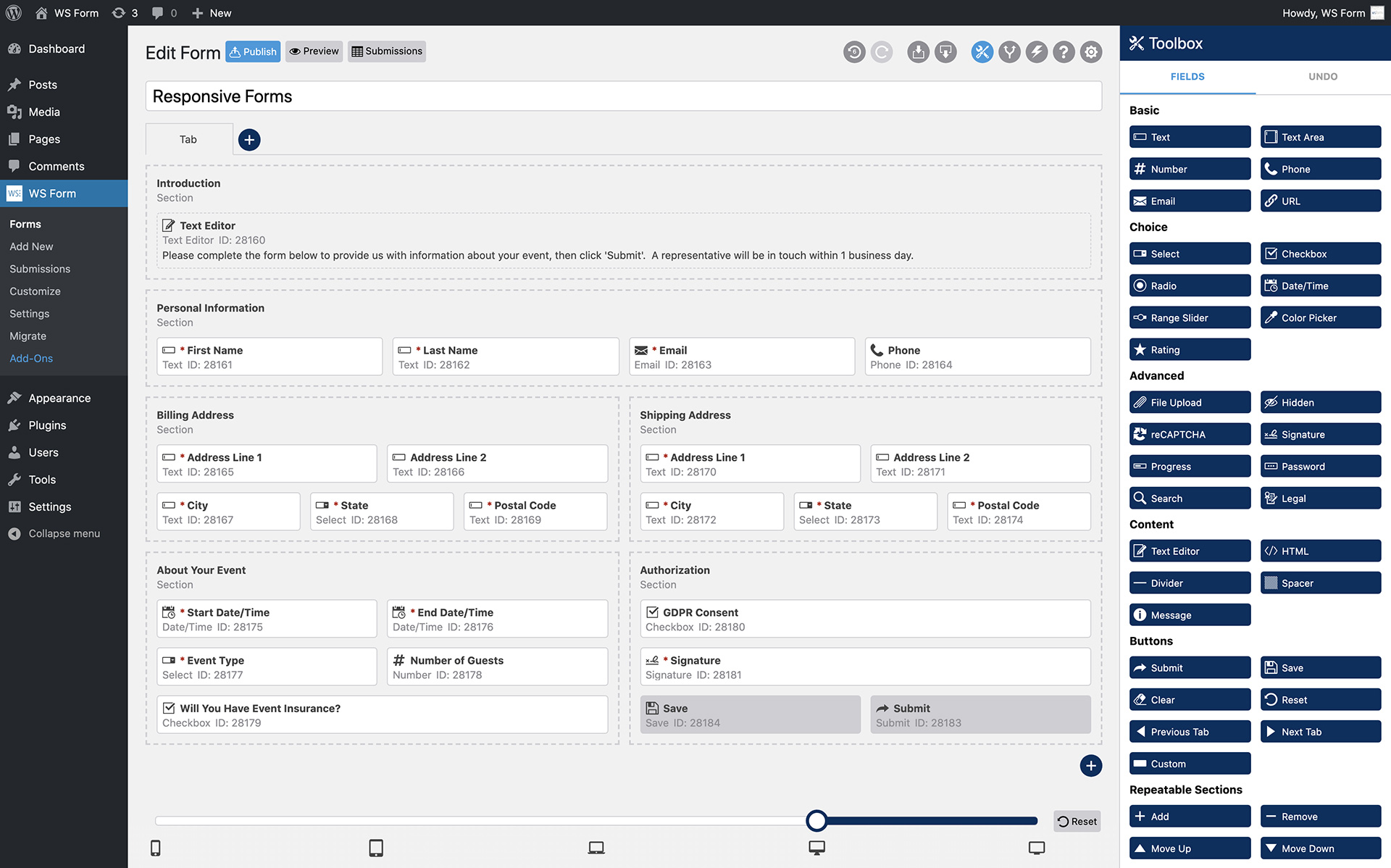
Редактор макета форми 
Екран привітання 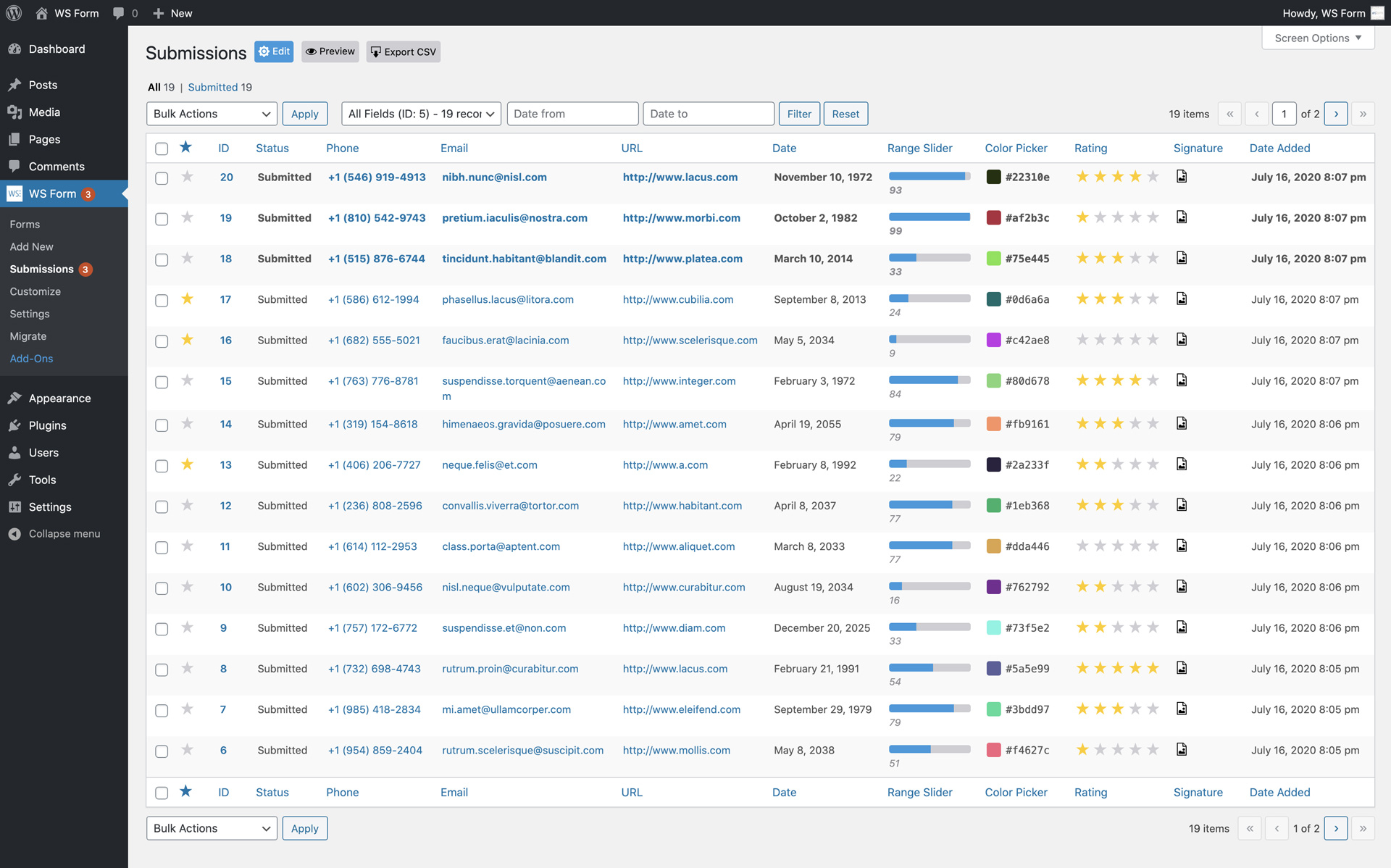
Подання контактної форми 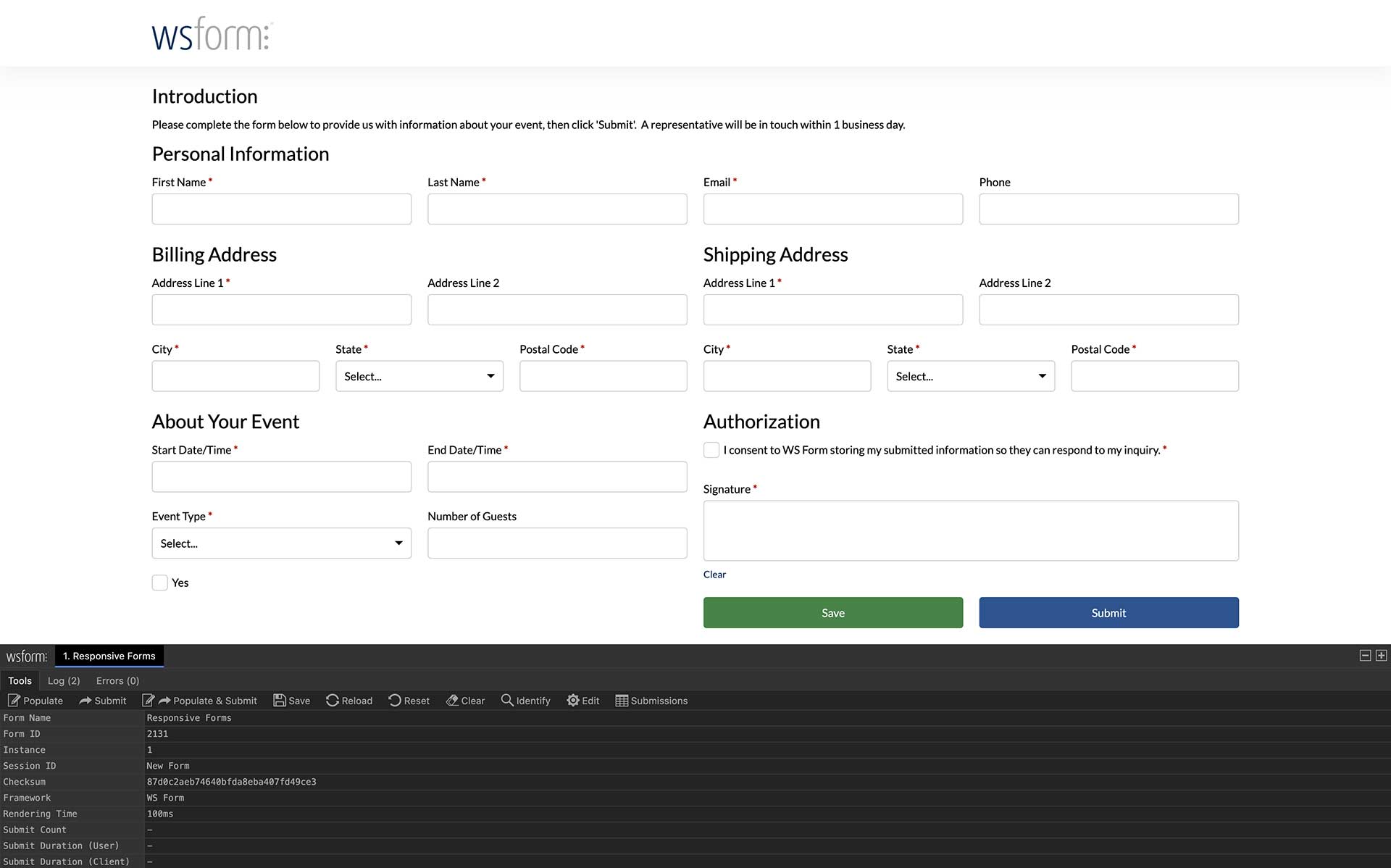
Приклад Front-End форми
Блоки
Цей плагін надає 1 блок.
- WS Form LITE - Drag & Drop Contact Form Builder for WordPress
Встановлення
Щоб отримати допомогу щодо встановлення форми WS, перегляньте нашу статтю бази знань Встановлення посібника.
Часті питання
-
How can I report security bugs?
-
You can report security bugs through the Patchstack Vulnerability Disclosure Program. The Patchstack team help validate, triage and handle any security vulnerabilities. Report a security vulnerability.
Відгуки


Учасники та розробники
“WS Form LITE – Drag & Drop Contact Form Builder for WordPress” — проект з відкритим вихідним кодом. В розвиток плагіну внесли свій вклад наступні учасники:
Учасники
Перекладіть “WS Form LITE – Drag & Drop Contact Form Builder for WordPress” на вашу мову.
Цікавитесь розробкою?
Перегляньте код, перегляньте сховище SVN або підпишіться на журнал розробки за допомогою RSS.