Title: WP Code Pre
Author: zeshanb
Published: 19.09.2017
Last modified: 08.08.2021
---
Шукати плагіни
Цей плагін **не перевірявся з останніми 3-ма основними випусками WordPress**. Можливо,
він більше не може розроблятися або підтримуватися, і він може мати проблеми сумісності
при використанні з більш новими версіями WordPress.
# WP Code Pre
Від автора [zeshanb](https://profiles.wordpress.org/zeshanb/)
[Завантажити](https://downloads.wordpress.org/plugin/wp-code-pre.1.0.1.zip)
* [Деталі](https://uk.wordpress.org/plugins/wp-code-pre/#description)
* [Відгуки](https://uk.wordpress.org/plugins/wp-code-pre/#reviews)
* [Встановлення](https://uk.wordpress.org/plugins/wp-code-pre/#installation)
* [Розробка](https://uk.wordpress.org/plugins/wp-code-pre/#developers)
[Підтримка](https://wordpress.org/support/plugin/wp-code-pre/)
## Опис
This simple plugin was created because of security concerns related to using PHP
preg_replace directly. With transition to PHP7, it’s advised to use preg_replace_callback
instead.
This plugin uses built-in supported feature of PHP-“highlight_string”. This plugin
filters post content inside custom html block for
and helps display html and other source code.
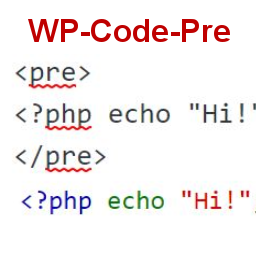
To display source code in your posts, surround source code with pre tags. Plugin
will filter for pre tags and add inline styles that may be modified using your wordpress
theme’s css stylesheet.
For WordPress versions 5.0 and above, HTML pre tags can be used within html block
or, classic block. Use the three dot menu to convert to html when there is a invalid
content error while post editing.
## Скріншоти
* [[
* Code preview on blog post or page
* [[
* Typing code in text tab of WordPress Admin area when writing Post.
* [[
* Convert block to html while editing to make modifications to existing source
code display
## Встановлення
1. Download the plugin
2. Upload the wp-code-pre.zip folder to your site’s wp-content/plugins directory
3. Activate the plugin in the WordPress Admin Panel
4. Surround source code with `
` tags, when writing in blog posts using
Gutenberg with classic block and “Edit as HTML” or, html block
## Часті питання
Why there aren’t any options to modify in admin?
This plugin simply filters for
pre tags.
## Відгуки
Для цього плагіна немає відгуків.
## Учасники та розробники
“WP Code Pre” — проект з відкритим вихідним кодом. В розвиток плагіну внесли свій
вклад наступні учасники:
Учасники
* [ zeshanb ](https://profiles.wordpress.org/zeshanb/)
[Перекладіть “WP Code Pre” на вашу мову.](https://translate.wordpress.org/projects/wp-plugins/wp-code-pre)
### Цікавитесь розробкою?
[Перегляньте код](https://plugins.trac.wordpress.org/browser/wp-code-pre/), перегляньте
[сховище SVN](https://plugins.svn.wordpress.org/wp-code-pre/) або підпишіться на
[журнал розробки](https://plugins.trac.wordpress.org/log/wp-code-pre/) за допомогою
[RSS](https://plugins.trac.wordpress.org/log/wp-code-pre/?limit=100&mode=stop_on_copy&format=rss).
## Журнал змін
#### 1.0
* First version of the plugin.
#### 1.0.1
* Updated readme to reflect updates to version 5.0
## Мета
* Версія **1.0**
* Останнє оновлення **5 років тому**
* Активних встановлень **10+**
* Версія WordPress ** 4.0 або вище **
* Tested up to **5.8.13**
* Версія PHP ** 7.0 або вище **
* Мова
* [English (US)](https://wordpress.org/plugins/wp-code-pre/)
* Позначки
* [Code Highlight](https://uk.wordpress.org/plugins/tags/code-highlight/)[filter content](https://uk.wordpress.org/plugins/tags/filter-content/)
* [Розширений перегляд](https://uk.wordpress.org/plugins/wp-code-pre/advanced/)
## Оцінки
No reviews have been submitted yet.
[Your review](https://wordpress.org/support/plugin/wp-code-pre/reviews/#new-post)
[See all reviews](https://wordpress.org/support/plugin/wp-code-pre/reviews/)
## Учасники
* [ zeshanb ](https://profiles.wordpress.org/zeshanb/)
## Підтримка
Є що сказати? Потрібна допомога?
[Перейти в форум підтримки](https://wordpress.org/support/plugin/wp-code-pre/)