

Опис
Kreativ Broken Image Finder scans your posts, pages and custom post types for broken images and provides a clear report directly in your WordPress dashboard.
Missing or broken images can negatively affect user experience and SEO. This plugin helps you quickly identify:
- Images that return 404 or other HTTP errors
- Broken image URLs inside post content, excerpts and custom fields
- Image URLs and Media Library image IDs stored in custom field values, including nested ACF-style values
- Broken featured images on posts and pages
No external services, no tracking, no bloat – everything runs locally on your server using WordPress core functions.
Features
- Scan all public post types (posts, pages, custom post types)
- Scan Media Library image files and generated sizes for missing local files
- Detect broken images inside post content, excerpts and custom fields
- Detect images in
srcset, lazy-load attributes and CSSurl(...)references - Detect broken featured images
- Cache repeated image URL checks during a scan for faster results
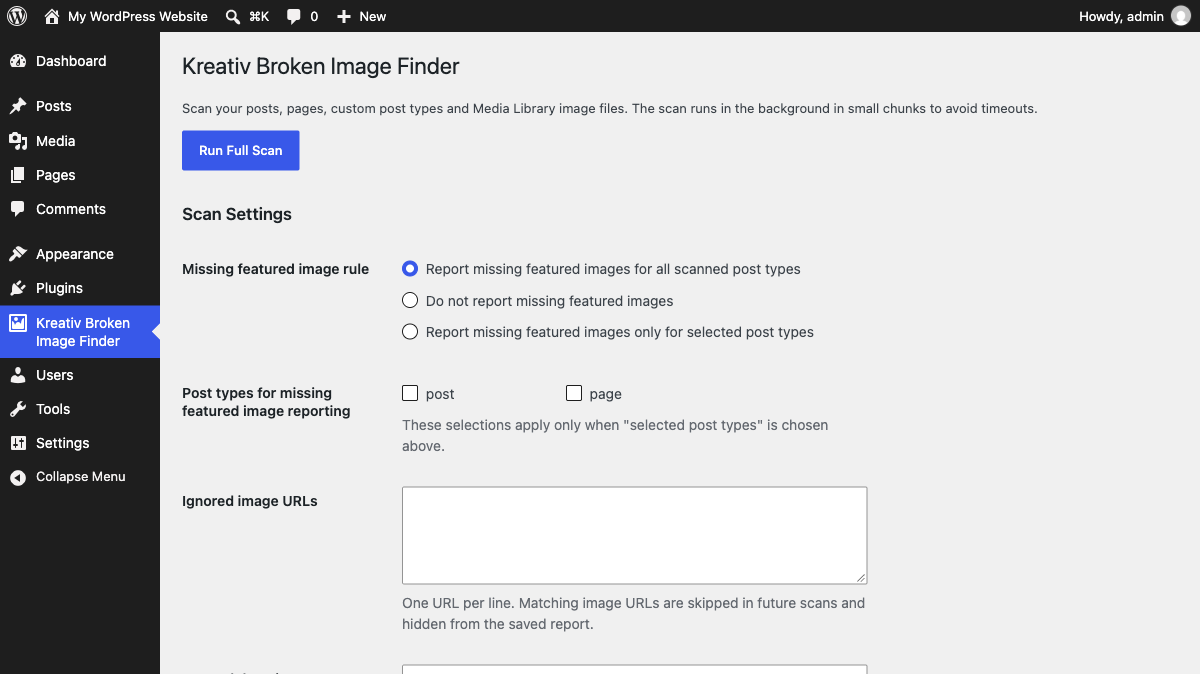
- Optional missing featured image reporting by post type
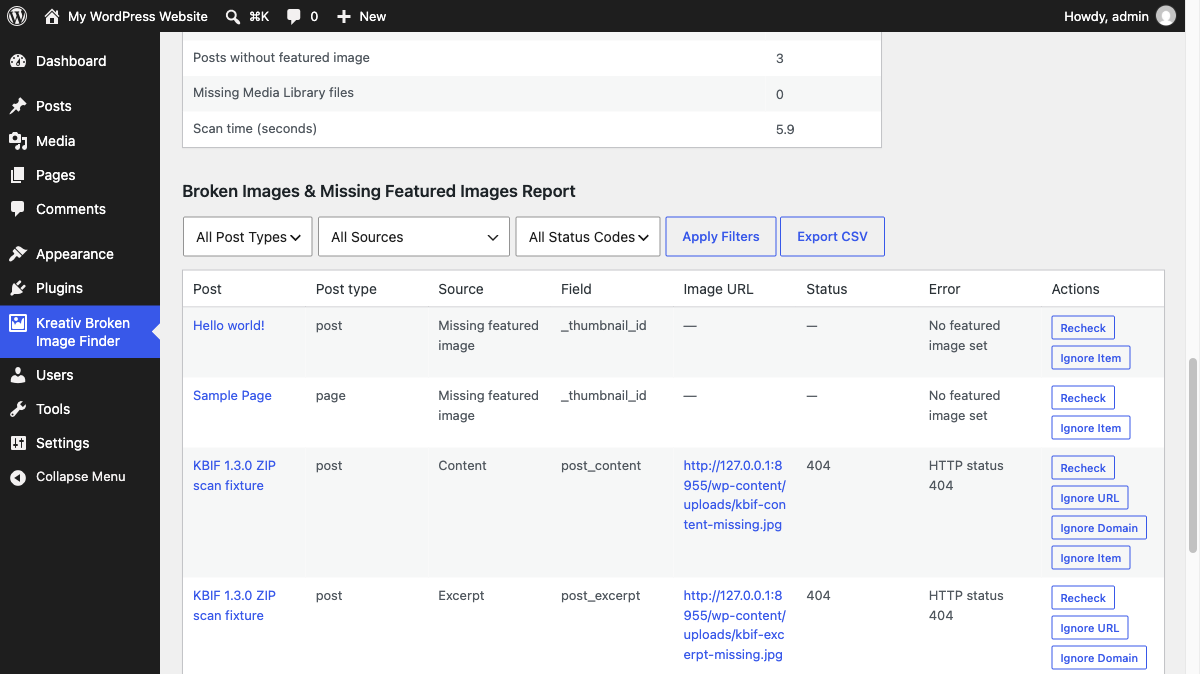
- Ignore specific image URLs, domains, posts or media attachments
- Recheck a single affected item after fixing it
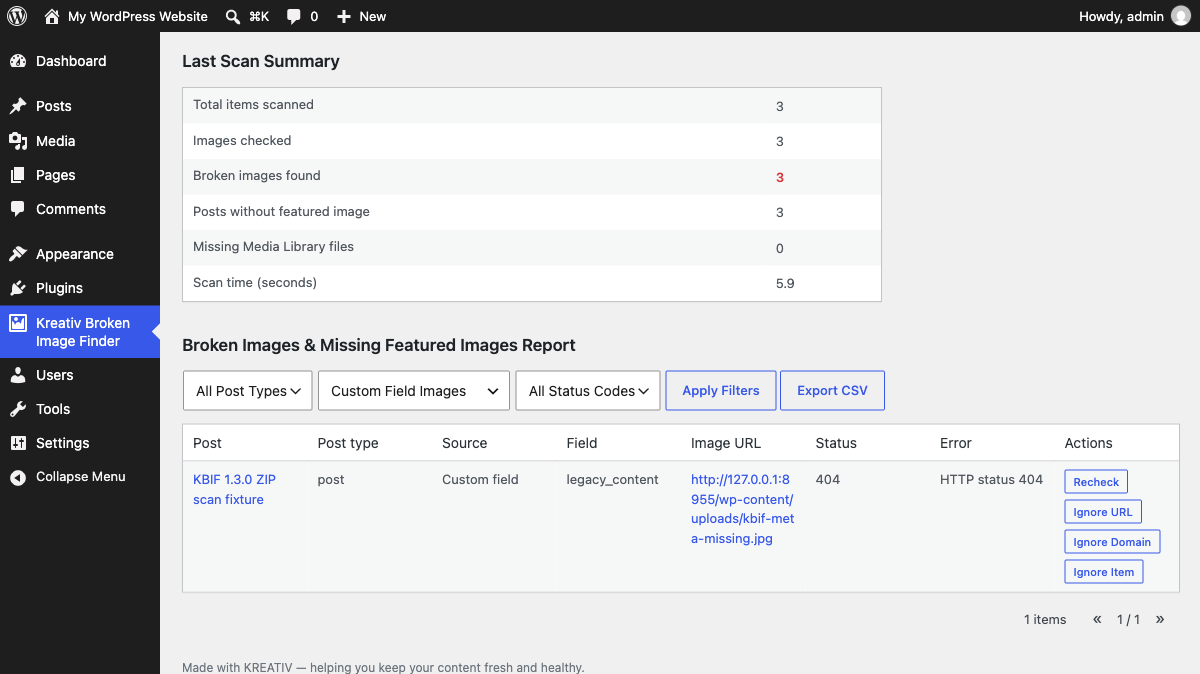
- Export the current filtered report to CSV
- WP-CLI support with
wp kbif scan - Summary with items scanned, images/files checked, broken images found and scan time
- Detailed report with direct links to edit affected posts
- Supports relative and protocol-relative image URLs
- Lightweight and GDPR-friendly (no cookies, no external API calls)
Скріншоти
Встановлення
- Upload the plugin ZIP via Plugins -> Add New -> Upload Plugin.
- Activate Kreativ Broken Image Finder.
- Go to Kreativ Broken Image Finder in the WordPress admin menu.
- Optionally configure the missing featured image rule for your post types.
- Click Run Full Scan and wait for the results.
Часті питання
-
Does this plugin automatically fix broken images?
-
No. The plugin only detects and reports broken images. You can then edit the affected posts and fix or replace the image URLs.
-
How does the plugin detect broken images?
-
It scans image references in post content, excerpts and custom fields, including lazy-load attributes,
srcset, CSS URLs and nested custom-field values. It checks URLs using WordPress HTTP requests, with fallback handling for servers that do not respond properly toHEAD. It also checks featured image URLs and Media Library file integrity. -
Can I control missing featured image reporting?
-
Yes. You can choose whether missing featured images are reported for all post types, no post types, or only selected post types from the plugin settings screen.
-
Does it support WP-CLI?
-
Yes. You can run a full scan from the command line with
wp kbif scan. You can also control the batch size withwp kbif scan --batch-size=10. -
Does it use any external services or APIs?
-
No. All checks are performed locally using WordPress core HTTP functions.
-
Will it slow down my site?
-
The scan runs only when manually triggered from the admin dashboard and does not affect front-end visitors. On very large sites, the scan may take longer, but it runs in small batches to avoid timeouts.
Відгуки

Учасники та розробники
“Kreativ Broken Image Finder” — проект з відкритим вихідним кодом. В розвиток плагіну внесли свій вклад наступні учасники:
Учасники
Перекладіть “Kreativ Broken Image Finder” на вашу мову.
Цікавитесь розробкою?
Перегляньте код, перегляньте сховище SVN або підпишіться на журнал розробки за допомогою RSS.
Журнал змін
1.3.0
- Added detection for
srcset, lazy-load image attributes,<source>images and CSSurl(...)references. - Added Media Library integrity checks for missing original files and generated image sizes.
- Added scanning for post excerpts and custom field values, including nested values and image attachment IDs.
- Added field names to report rows and CSV exports so findings can be fixed at the source.
- Added ignore rules for image URLs, domains, posts and media attachments.
- Added per-item recheck actions in the report table.
- Added CSV export for the current filtered report.
1.2.3
- Added per-scan URL caching to avoid repeating the same remote image checks across posts.
- Added admin settings to control missing featured image reporting by post type.
- Added a
wp kbif scancommand with configurable batch size.
1.2.2
- Added GET fallback when image hosts reject HEAD requests, reducing false positives.
- Improved support for document-relative image paths in post content.
- Reworked scan batching to avoid loading all published post IDs into a single option during scan startup.
1.2.1
- Updated WordPress.org readme metadata and release notes.
- Synced plugin asset versioning with the current plugin version.
- Added WordPress.org-standard banner and icon asset variants.
1.2.0
- Added top-level admin menu for easier access.
- Added filters and pagination to the results table.
- Improved handling of relative and protocol-relative image URLs.
- Improved scan stability using background batch processing.
- Security hardening for admin actions and AJAX requests.
- General UI and performance improvements.
1.1.0
- Improved scan reliability on larger sites.
- Added scan progress tracking and summary statistics.
- Improved detection of broken featured images.
- Internal performance optimizations.
1.0.0
- Initial version.
- Scan posts, pages and custom post types for broken images in content and featured images.